
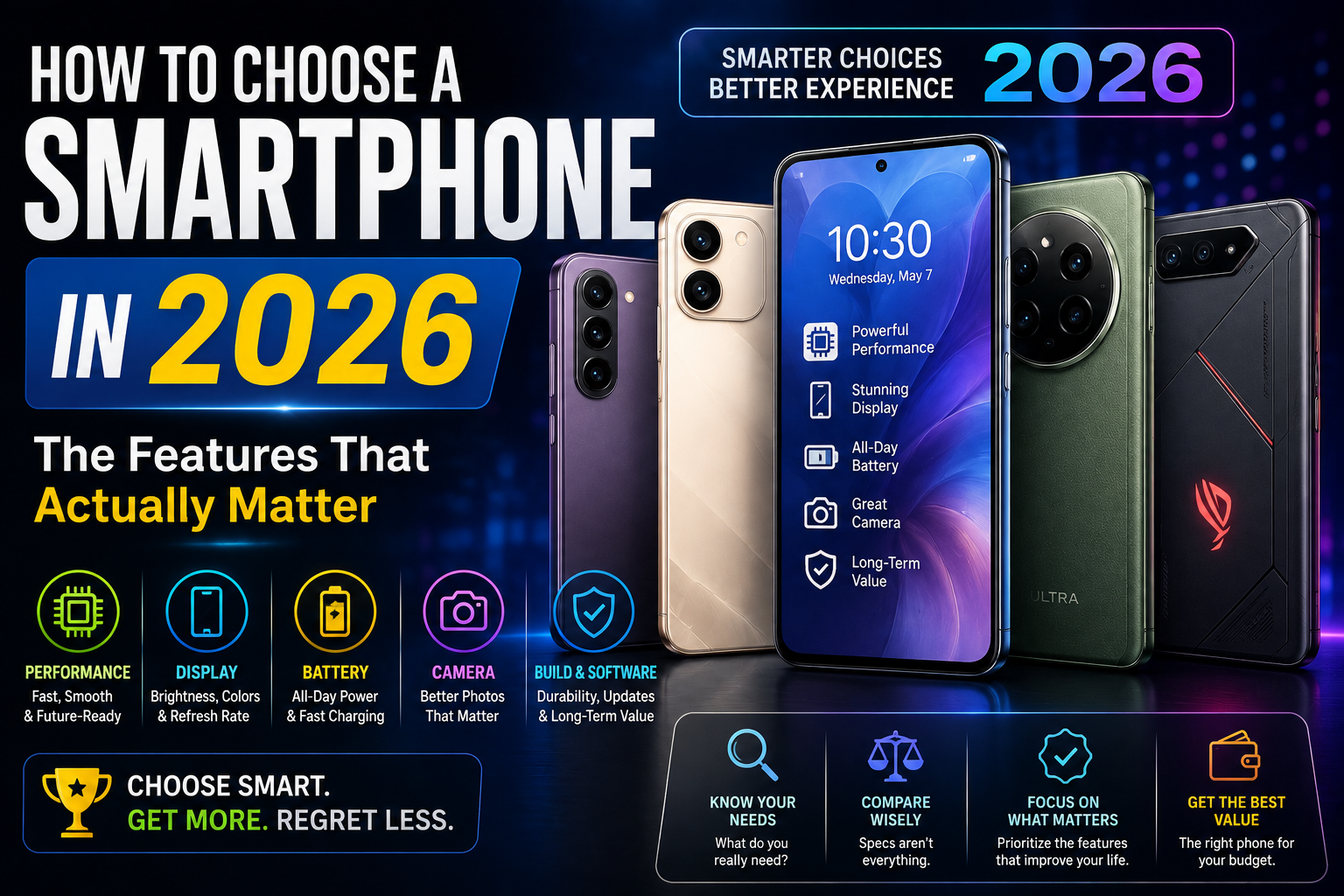
Shopping for a new smartphone can feel like navigating an overwhelming sea of marketing terminology. Manufacturers constantly highlight massive megapixel counts, multi-core processing speeds, artificial intelligence enhancements, and specialized display technologies. With prices spanning from budget-friendly tiers to ultra-premium flagships, finding the right device requires looking past promotional buzzwords.
The most expensive phone on the market is not automatically the best choice for every user. Instead, the ideal device depends entirely on your personal budget, daily routines, and specific priorities—whether you care most about battery life, camera performance, mobile gaming, or long-term software support. This smartphone buying guide breaks down the specifications that actually matter, helping you make a practical, well-informed purchasing decision.
For more insights into mobile technology, explore our [Internal Link: Phones] and [Internal Link: Buying Guides].
1. Start With Your Budget and Needs
Before comparing technical specifications, take a moment to evaluate your actual habits and financial comfort zone. Buying a phone based purely on raw specifications often leads to overspending on features you may never use.
Consider the following core factors:
- Budget: Determine a comfortable spending limit before browsing options.
- Daily usage: Do you use your phone casually for messaging and browsing, or do you rely on it heavily for work?
- Camera needs: Are you capturing quick snapshots, or are you an enthusiast demanding high-end photography tools?
- Gaming: Do you play graphics-heavy 3D games, or stick to casual puzzle titles?
- Battery requirements: Do you need a device that easily survives a heavy workday away from outlets?
- Storage: How many apps, offline video downloads, and high-resolution photo libraries do you carry locally?
- Longevity: Do you plan to keep the phone for a couple of years or hold onto it until it stops receiving software updates?
2. Processor and Performance
The processor—often called the System on a Chip (SoC)—serves as the digital brain of your smartphone, coordinating every task from launching apps to rendering graphics.
- CPU (Central Processing Unit): Handles general system instructions, app launching, and multi-core computing tasks.
- GPU (Graphics Processing Unit): Dedicated to rendering visuals, animations, and high-end gaming graphics.
- Efficiency: Modern mobile processors balance high-performance cores with power-efficient cores to preserve battery life during light tasks.
- Thermal management: How well a phone manages heat directly affects whether it can sustain high performance during extended gaming or video editing sessions.
Processor specifications should always be considered alongside software optimization and your intended workload. A well-optimized midrange processor often provides a smoother everyday experience than a high-end chip trapped inside poorly coded software.
3. RAM
Random Access Memory (RAM) acts as your smartphone’s short-term workspace, holding data for apps that are currently open or running in the background.
- Multitasking: Adequate RAM allows you to switch between multiple apps—such as navigation, messaging, and web browsers—without forcing applications to reload from scratch.
- Gaming and heavy tasks: Resource-intensive apps and open-world games require sufficient memory to prevent stuttering.
- Everyday use: Basic messaging, email, and web browsing demand far less memory.
More RAM does not automatically mean a better phone. Once your device has enough memory to comfortably handle your daily app rotation, adding extra gigabytes yields diminishing returns for standard users.
4. Storage
Internal storage capacity determines how many apps, offline media files, high-resolution photos, and videos you can keep directly on your device.
- Internal storage vs. Cloud: While cloud storage services offer flexible off-device backups, local storage remains crucial for fast access to large apps and cached media.
- App expansion: Modern applications, games, and system files occupy significantly more space than they did in past years, making base-tier storage capacities fill up quickly.
- Expandable storage: Physical microSD card slots have become rare on modern smartphones, making it vital to choose an appropriate internal capacity at the time of purchase based on how long you plan to keep the phone.
5. Display
You interact with your smartphone’s display more than any other component, making screen quality a primary factor in overall user satisfaction.
- Screen size and resolution: Larger screens offer expansive viewing areas for media, while higher resolutions deliver sharper text and finer image details.
- Refresh rate: Higher refresh rates (such as 90Hz or 120Hz) make scrolling through web pages and animations look noticeably smoother than traditional 60Hz panels.
- Panel technology: OLED panels provide deep blacks, vibrant colors, and high contrast ratios, while LCD panels offer reliable, cost-effective performance.
- Brightness and HDR: High peak brightness levels ensure outdoor legibility under direct sunlight, while HDR support enhances contrast and color depth in supported videos.
For recommendations on top-tier displays, check out our [Internal Link: Best Picks] and [Internal Link: Comparisons].
6. Camera
Smartphone photography relies on a combination of hardware and computational software rather than a single specification.
- Camera lenses: Most phones feature a primary main camera, complemented by ultra-wide lenses for sweeping landscapes and telephoto lenses for optical zoom.
- Sensor size and processing: Larger physical sensors capture more natural light, while image processing algorithms clean up low-light noise, balance high-contrast lighting, and sharpen details.
- Video recording: Consider stabilization capabilities, resolution options, and audio capture quality if you shoot frequent video clips.
Megapixel count alone does not determine camera quality. A high-resolution sensor paired with poor optics and weak image processing will produce inferior photos compared to a well-tuned sensor with lower megapixels.
7. Battery Life and Charging
A smartphone’s real-world endurance depends on a delicate balance between battery capacity, processor efficiency, screen characteristics, and background software optimization.
- Battery capacity: Measured in milliamp-hours (mAh), physical battery size gives a general baseline for potential runtime.
- Real-world usage: High screen brightness, heavy gaming, and active mobile data connections drain batteries much faster than casual reading or Wi-Fi browsing.
- Charging speed: Fast wired charging technologies can replenish a depleted battery in a fraction of the time, while wireless charging adds convenient cable-free top-ups where supported.
Advertised battery-life figures provided by manufacturers rarely reflect intensive real-world usage, so checking independent reviews helps establish realistic expectations.
8. Software and Operating System
The operating system shapes your entire daily interaction with the device, governing how menus look, how apps behave, and how customization options are organized.
- User interface and customization: Some operating systems prioritize clean simplicity and streamlined navigation, while others offer deep layout adjustments and split-screen multitasking tools.
- App ecosystems: Official app stores provide millions of software titles, secure payment systems, and essential productivity tools.
- Compatibility and integration: Consider how well the phone syncs with your other electronic devices, such as laptops, tablets, or smart home gear.
9. Software and Security Updates
Long-term software support is one of the most overlooked aspects of buying a smartphone. A device is only as secure as its latest software patch.
- Operating-system updates: Major annual software updates introduce new interface features, performance tweaks, and modern toolsets.
- Security patches: Regular security updates protect your device against newly discovered digital vulnerabilities.
- Manufacturer support lifespan: Choosing a brand that commits to extended software support ensures your phone remains secure, compatible with new banking apps, and functional for years to come.
For guidance on navigating technical updates, visit our [Internal Link: How-To] and [Internal Link: Tech Explained].
10. Build Quality and Durability
Smartphones are portable items exposed to daily drops, pocket friction, and unpredictable weather conditions.
- Materials: Premium glass and metal finishes offer a luxurious in-hand feel, while reinforced plastics or textured composites provide durability and grip.
- Water and dust resistance: Ingress protection (IP) ratings indicate how well a phone resists accidental liquid spills, rain submersion, or dusty environments.
- Screen protection: Toughened display glass helps resist scratches and minor drop impacts, though protective cases remain a sensible addition.
Durability ratings provide peace of mind, but they do not make a device indestructible.
11. Connectivity
Connectivity features ensure your phone communicates reliably with networks and peripheral devices.
- Cellular networks: Support for 4G LTE and 5G networks ensures fast mobile data speeds depending on carrier coverage in your region.
- Wi-Fi and Bluetooth: Modern Wi-Fi standards ensure fast home network speeds, while current Bluetooth versions provide stable wireless audio and accessory connections.
- NFC and SIM options: NFC enables contactless mobile payments, and support for physical SIM cards or digital eSIM technology facilitates flexible carrier activation.
Always verify that the phone model you purchase supports the cellular bands used by your regional network provider.
12. Audio
Whether you are listening to podcasts, watching movies, or taking hands-free calls, audio performance shapes your multimedia experience.
- Speakers: Stereo speaker setups—firing from both the bottom and top of the phone—offer a balanced, immersive soundstage compared to single mono speakers.
- Headphones and wireless audio: Traditional 3.5mm headphone jacks are rare on modern devices, meaning most users rely on Bluetooth wireless earbuds or USB-C audio adapters.
- Microphone clarity: High-quality microphones ensure your voice comes through clearly during phone calls, video meetings, and voice memos.
13. AI and Smart Features
Artificial intelligence has become deeply embedded in modern smartphone operating systems, functioning quietly behind the scenes to optimize daily tasks.
- Photography enhancements: AI algorithms assist with instant subject recognition, portrait background blur, and low-light noise reduction.
- Productivity and translation: On-device language translation, real-time voice transcription, and text summarization tools streamline daily workflows.
- Personalization and assistance: Predictive text inputs, smart battery management, and conversational assistants adapt to your personal habits over time.
Evaluate AI features based on their practical utility in your daily routine rather than promotional marketing claims.
14. Phone Features That Matter Most for Different Users
- Students: Prioritize reliable battery life, solid build durability, ample storage for coursework, and budget-friendly pricing.
- Office Workers: Focus on dependable email and messaging performance, excellent microphone clarity, secure software update policies, and smooth multitasking.
- Travelers: Look for strong cellular band compatibility, robust battery endurance, rugged water resistance, and reliable GPS navigation performance.
- Mobile Gamers: Prioritize high-performance processors, responsive high-refresh-rate displays, efficient cooling mechanisms, and generous RAM.
- Photographers: Focus on primary camera sensor size, optical zoom capabilities, robust image stabilization, and manual shooting controls.
- Content Creators: Need powerful video processing capabilities, high-resolution displays, steady video stabilization, and large local storage capacities.
- Casual Users: Benefit from simple interfaces, reliable battery life, clear displays, and strong long-term value.
- Heavy Users: Require top-tier processing power, large battery capacity, fast charging speeds, and abundant storage.
15. How Long Should a Smartphone Last?
A smartphone’s practical lifespan is determined by several interlocking factors rather than a fixed calendar date.
- Hardware endurance: A powerful processor and sufficient RAM ensure the phone remains snappy over years of app updates.
- Battery degradation: Internal lithium-ion batteries naturally lose maximum capacity over hundreds of charge cycles, though they can often be replaced by service centers.
- Software lifespan: Ongoing security updates keep the device safe to use long after its initial purchase.
- Physical care: Using protective cases and screen shields helps preserve structural integrity.
16. Common Smartphone Buying Mistakes
- Choosing only by megapixels: Assuming a camera with a higher megapixel count automatically takes better photos.
- Buying based only on processor name: Overlooking thermal design and software optimization in favor of raw processor marketing numbers.
- Ignoring software updates: Purchasing a cheap phone that will stop receiving security patches within a year.
- Buying too little storage: Selecting a cramped base storage tier that fills up quickly with modern apps and media.
- Ignoring battery needs: Choosing a thin, ultra-light phone while sacrificing essential battery capacity.
- Ignoring display quality: Settling for a dim, washed-out screen that is difficult to read outdoors.
- Assuming 5G automatically means better performance: Buying a budget 5G phone while ignoring other foundational hardware compromises.
- Ignoring compatibility: Failing to check if the phone supports regional cellular bands and carrier frequencies.
- Paying for unused features: Splurging on ultra-premium flagship features you will never incorporate into your daily routine.
- Ignoring long-term value: Overlooking build quality and resale value when evaluating purchase prices.
17. Smartphone Buying Checklist
Run through this practical checklist before purchasing your next mobile device:
- [ ] Budget: Does the price fit comfortably within your financial plan?
- [ ] Processor: Does the chip handle your expected apps and multitasking needs?
- [ ] RAM: Is the memory capacity sufficient for your daily app rotation?
- [ ] Storage: Have you chosen enough local capacity for your media and files?
- [ ] Display: Are the size, resolution, and refresh rate comfortable for your eyes?
- [ ] Camera: Does the camera system match your photography and video habits?
- [ ] Battery: Will the battery easily survive your typical daily usage pattern?
- [ ] Charging: Does the charging speed meet your convenience expectations?
- [ ] Software support: Does the manufacturer promise long-term security and OS updates?
- [ ] Durability: Do water-resistance ratings and build materials offer good physical protection?
- [ ] Connectivity: Does the phone support your regional carrier bands and Wi-Fi standards?
- [ ] Repairability: Are replacement parts and repair services reasonably accessible?
Comparison Table
| Feature | What It Means | Who Should Care Most |
| Processor | Main chip governing system speed and efficiency | Gamers and heavy professional users |
| RAM | Short-term memory for active multitasking | Heavy multitaskers and mobile gamers |
| Storage | Local space for apps, photos, and media | Content creators and media hoarders |
| Display | Screen size, sharpness, refresh rate, and panel type | Media consumers and casual readers |
| Camera | Sensor capability, lenses, and image processing | Photographers and social media creators |
| Battery | Capacity and endurance on a single charge | Travelers and heavy daily users |
| Charging | Speed of wired or wireless power replenishment | Busy users who need quick power top-ups |
| Software | Operating system interface and app ecosystem | Every user based on personal platform preference |
| Updates | Duration of security and OS support | Long-term owners who keep phones for years |
| Connectivity | 5G, Wi-Fi, Bluetooth, and network compatibility | Frequent travelers and remote workers |
| Durability | Water resistance, frame materials, and glass protection | Active outdoor users and clumsy handlers |
FAQ
- Q: How much RAM do I actually need in a modern smartphone?
- A: For basic messaging and web browsing, moderate RAM is sufficient. For heavy multitasking and 3D gaming, higher configurations provide smoother long-term performance.
- Q: Is a higher megapixel camera always better?
- A: No. Sensor size, lens quality, optical stabilization, and software image processing play a far larger role in final photo clarity than megapixel counts.
- Q: Do I need a 5G phone?
- A: Most modern smartphones include 5G connectivity by default. While nice to have for fast mobile data where coverage exists, it should not overshadow other core features like battery life and storage.
- Q: How often should I expect to replace my smartphone?
- A: With proper care and ongoing software updates, many modern smartphones comfortably last several years before battery degradation or software deprecation necessitates an upgrade.
- Q: Can I expand storage with a memory card?
- A: Expandable microSD storage is rare on modern devices. It is always safer to purchase an internal storage tier that matches your anticipated long-term needs.
- Q: Does fast charging damage the phone battery?
- A: Modern smartphones feature sophisticated internal power management circuits that regulate charging current and thermal output to protect battery longevity during fast charging.
- Q: Why do flagship phones cost so much more than budget phones?
- A: Flagship prices reflect advanced camera optics, premium build materials, high-end display panels, cutting-edge processors, and extended software support commitments.
Conclusion
Choosing the right smartphone comes down to aligning your purchase with your actual daily habits, budget, and priorities rather than chasing marketing specifications. Whether you need a rugged, reliable device for work travel, a multimedia powerhouse for media consumption, or a balanced everyday companion, evaluating core elements like battery life, storage, display quality, and software support ensures lasting satisfaction. Take your time comparing features that genuinely impact your routine, and invest in a device built to serve your needs reliably over the long term.
Gadget Hacks – A decision-framework guide that walks through carrier compatibility, platform choice, true cost of ownership, and software longevity before specs even enter the picture — useful for avoiding the most common buyer’s-remorse mistakes. Click here to open the guide.
TechEngage – A practical breakdown of what actually matters in 2026: chipset tiers, RAM needs for on-device AI, why sensor size beats megapixels for camera quality, and how many years of software updates to expect from each major brand. Click here to open the guide.
Stuff – A hands-on buying guide from a publication that tests phones in real-world conditions (battery drain, camera comparisons, gaming performance) rather than relying on spec sheets alone. Click here to open the guide.
The Hype Magazine – A features-first guide encouraging readers to prioritize speed, battery endurance, camera quality, display comfort, and software support based on their actual daily habits before comparing specific models. Click here to open the guide.