
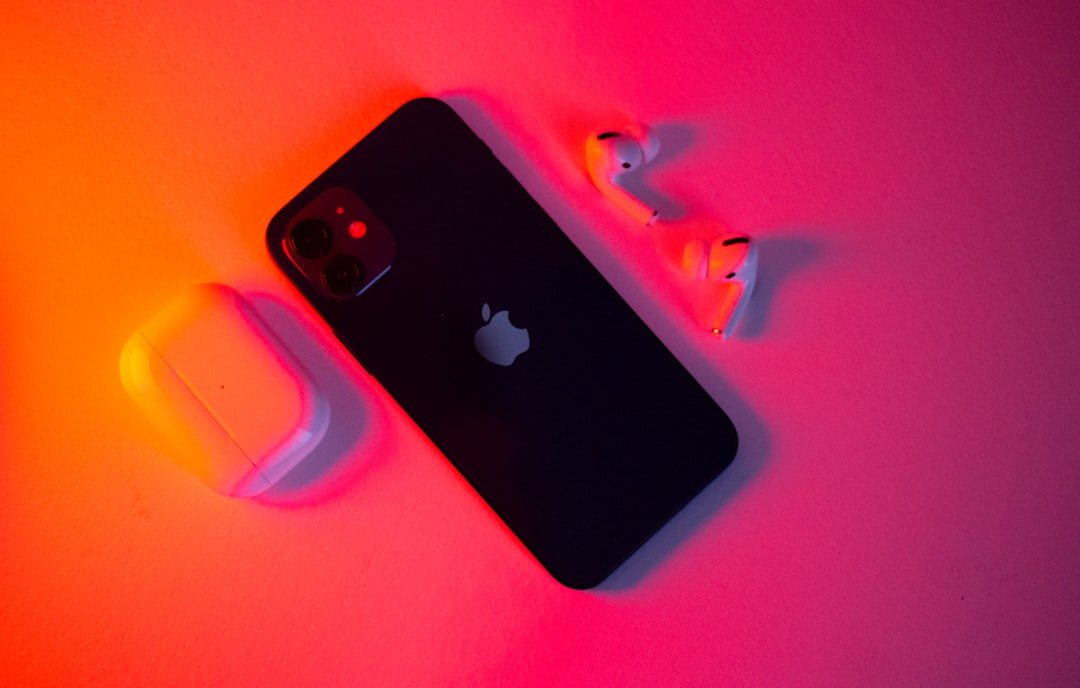
—
Introduction – Why the Right Accessories Can Transform Your iPhone Experience
If you’ve ever bought a new iPhone and felt a pang of excitement while unboxing it, you know that the device itself is a masterpiece of design and technology. But let’s be honest – an iPhone truly shines when it’s paired with the right accessories. From keeping that gorgeous OLED display pristine to extending battery life on the go, the right add‑ons can turn a good phone into an unstoppable productivity machine, a portable cinema, or a fashion statement.
In 2024 the market is flooded with iPhone accessories that promise everything from ultra‑fast wireless charging to rugged protection without bulk. With so many options, it’s easy to feel overwhelmed. That’s why we’ve compiled this comprehensive, 2,000‑word guide. We’ll walk you through the essential categories, highlight the best products on the market, and give you actionable tips on how to choose the perfect gear for your lifestyle.
Ready to unlock the full potential of your iPhone? Let’s dive in!
—
1. Protect & Preserve – Cases, Screen Protectors, and More
1.1. Why Protection Matters
Your iPhone is an investment—often costing $799 or more for the latest models. A single slip can lead to cracked glass, dented frames, or water damage that could void your warranty. The right iPhone case and screen protector not only safeguard your device but can also enhance grip, add style, and even improve functionality.
1.2. Choosing the Perfect iPhone Case
| Use‑Case | Recommended Material | Top Picks (2024) |
|———-|———————-|——————|
| Everyday Minimalist | Slim TPU or polycarbonate | Apple Silicone Case, Spigen Ultra Hybrid |
| Heavy‑Duty Protection | Rugged TPU + reinforced corners | OtterBox Defender Series, UAG Monarch |
| Fashion‑Forward | Leather, fabric, or designer prints | Mujjo Leather, Casetify Custom Designs |
| Wallet Functionality | Leather with card slots | Bellroy Phone Wallet, Nomad Card Holder |
| Eco‑Friendly | Recycled or biodegradable plastics | Pela Case, Incipio EcoCase |
Actionable tip: When selecting a case, test the fit in your hand. A case that feels bulky will likely lead you to leave it behind, defeating its protective purpose. Also, verify that the case doesn’t interfere with the MagSafe ring if you plan to use MagSafe accessories.
1.3. Screen Protectors – From Tempered Glass to Nanocoatings
A screen protector is the first line of defense against scratches, fingerprints, and shattering. There are three main types:
1. Tempered Glass (9H hardness) – Offers the clearest view and feels like the original glass. Brands like ZAGG and Belkin provide bubble‑free installation kits.
2. PET Film – Ultra‑thin and flexible, ideal for those who dislike any added thickness. However, they’re less resistant to impact.
3. Liquid Nanocoating – A spray or wipe‑on solution that forms an invisible, anti‑glare layer. Good for anti‑fingerprint performance, but not as impact‑resistant.
Pro tip: For iPhone 14/15 series, look for screen protectors that are MagSafe‑compatible. This ensures seamless attachment of MagSafe chargers and wallets without needing to remove the protector.
1.4. Additional Protective Gear
- Camera Lens Protectors: Small tempered glass pieces that safeguard the ultra‑wide and telephoto lenses from scratches.
- Water‑Resistant Pouches: Perfect for beach trips or rainy commutes. Brands like LifeProof and Catalyst offer IP68‑rated cases that double as waterproof bags.
- Dust Plugs for Ports: Simple silicone plugs that keep lint out of the Lightning port, preserving charging speed.
- MagSafe (15W–30W): Magnetic alignment ensures optimal charging efficiency. Ideal for nightstand use and quick top‑up.
- USB‑C Power Delivery (PD) (20W–100W+): Offers the highest charging speeds, especially for iPhone 15 Pro models that support up to 27W fast charge.
- Wireless Qi (5W–10W): Universal standard for older iPhones and other devices, but slower than MagSafe.
- Capacity Matters: 10,000 mAh can charge an iPhone 15 about 2.5 times; 20,000 mAh offers 5+ full charges.
- Output Power: Look for at least 18W USB‑C PD for fast charging. Some power banks also support Power Delivery 3.0 for laptops.
- Size vs. Weight: If you prioritize pocket‑friendliness, go for a 10,000 mAh slim model (e.g., Anker PowerCore 10000 PD). For heavy‑duty use, the Zendure SuperTank Pro 27,000 mAh delivers 100W output.
- Durability: Look for braided nylon or Kevlar‑reinforced cables. Brands like Anker PowerLine III and Belkin BoostCharge have excellent longevity.
- Length: 1 m (3.3 ft) is ideal for desk use; 2 m (6.6 ft) works for travel.
- Certification: Apple’s MFi (Made for iPhone) certification guarantees compatibility and safe charging.
- Fit Preference: In‑ear vs. over‑ear. Over‑ear headphones (e.g., Sony WH‑1000XM5) provide superior soundstage for movies.
- Ecosystem Compatibility: If you use a MacBook or Apple Watch, AirPods lock in the best hand‑off experience.
- Battery Needs: For long flights, prioritize models with fast‑charge (10 min = 1 hr playback).
- JBL Flip 6: Waterproof, 12 hrs playtime, 20 W output. Great for picnics.
- Bose SoundLink Flex: Rugged design, 12 hrs, deep bass.
- Apple HomePod mini (as a speaker): Works via AirPlay 2, excellent for Apple‑centric homes.
- Moment Lenses: Wide‑angle, macro, and anamorphic lenses that attach via a dedicated case.
- DJI OM 5 Gimbal: 3‑axis stabilization, built‑in extension rod, and active tracking.
- Ulanzi Phone Tripod with GorillaPod Base: Flexible legs for uneven terrain, ideal for vloggers.
- MagSafe Wallets: Apple Leather Wallet, Mujjo Card Sleeve – hold 2‑3 cards, stay attached throughout the day.
- MagSafe Car Mounts: Belkin Boost↑Charge Car Mount Pro (15W) – charges while keeping the iPhone at eye level.
- MagSafe Power Banks: Anker PowerCore Magnetic 5K – attaches to the back of the iPhone for on‑the‑go charging without cables.
- Apple Watch Series 9: The ultimate companion for health tracking, notifications, and even cellular independence.
- Whoop Strap 4.0: For athletes who need detailed recovery metrics.
- Smart Rings (Oura Ring): Tracks sleep, HRV, and activity without a wrist device.
- Apple HomePod mini: Acts as a hub for HomeKit devices, enabling voice control via Siri.
- Eve Energy Smart Plug: Works with HomeKit, offers power monitoring, and can be controlled via the Home app.
- Nanoleaf Shapes: Wi‑Fi‑enabled LED panels that respond to music and can be controlled from the iPhone.
- Apple SIM Tray (eSIM): Most carriers now support eSIM, eliminating the need for a physical SIM card.
- Logitech K380 Bluetooth Keyboard: Compact, multi‑device pairing, perfect for typing emails on the iPhone.
- RAVPower 60W USB‑C Hub: Adds HDMI, SD card, and Ethernet ports for on‑the‑go productivity.
—
2. Power Up – Chargers, Batteries, and Energy Management
2.1. The Evolution of iPhone Charging
Since the introduction of the Lightning connector, Apple has gradually shifted toward MagSafe and USB‑C (with iOS 17 onward). Understanding the differences helps you pick the fastest, safest charger for your needs.
2.2. Best Wireless Chargers for 2024
| Charger | Power | Key Feature | Price |
|———|——-|————-|——-|
| Apple MagSafe Charger | 15W | Seamless integration, Apple warranty | $39 |
| Belkin Boost↑Charge Pro 3-in-1 | 15W MagSafe + 7.5W iPad + 10W Apple Watch | Multi‑device charging | $129 |
| Mophie Snap+ Wireless Charging Pad | 30W (dual‑coil) | Fastest MagSafe charging currently available | $79 |
| Nomad Base Station Pro | 15W MagSafe + 2×7.5W Qi | Leather finish, anti‑slip design | $199 |
Actionable tip: When buying a wireless charger, confirm that it supports Qi‑compatible fast charging for older iPhones (iPhone 8–12) and MagSafe for newer models. This future‑proofs your purchase.
2.3. Power Banks – Portable Juice for the On‑the‑Go Lifestyle
A reliable portable charger can be a lifesaver during travel, outdoor adventures, or long workdays.
Pro tip: Keep a charged power bank in your car or backpack at all times. It’s a small investment that prevents the dreaded “low‑battery” panic.
2.4. Cable Essentials – Lightning vs. USB‑C
With the iPhone 15 series adopting USB‑C, the market now offers both Lightning and USB‑C cables. Here’s what to consider:
Actionable tip: Keep a short 0.5 m USB‑C cable at your bedside for quick night‑stand charging and a long 2 m cable in your bag for on‑the‑go use.
—
3. Audio & Video – Elevating Your Media Experience
3.1. Bluetooth Headphones & Earbuds
Apple’s AirPods Pro (2nd gen) remain the benchmark for spatial audio and seamless integration, but competition is fierce.
| Model | Price | Battery Life | Key Feature |
|——-|——-|————–|————-|
| Apple AirPods Pro (2nd gen) | $249 | 6 hrs (earbuds) + 30 hrs (case) | Adaptive Transparency, Spatial Audio |
| Sony WF‑1000XM4 | $279 | 8 hrs + 24 hrs | Industry‑leading noise cancelation |
| Samsung Galaxy Buds2 Pro | $229 | 5 hrs + 18 hrs | 24‑bit Hi‑Res Audio, IPX7 |
| Beats Fit Pro | $199 | 6 hrs + 24 hrs | Secure fit, Spatial Audio support |
How to Choose:
3.2. Portable Speakers – Take Your Sound Anywhere
Pro tip: Pair a Bluetooth speaker with your iPhone’s Audio Sharing feature to broadcast to two sets of AirPods simultaneously—perfect for movie night on the go.
3.3. Video Accessories – Stabilizers, Lenses, and Gimbals
If you love creating content, these accessories can dramatically improve video quality:
Actionable tip: When shooting in low light, pair a Moment lens with a portable LED ring light (e.g., Aputure Amaran AL‑M). The combination yields professional‑grade footage without a heavy DSLR.
—
4. Smart Add‑Ons – Enhancing Productivity & Lifestyle
4.1. MagSafe Ecosystem – Wallets, Stands, and Car Mounts
Since 2020, MagSafe has become the de‑facto standard for magnetic accessories.
Tip: Test the magnetic pull before purchasing. A strong magnet ensures the wallet or mount won’t slip during sudden movements.
4.2. Health & Fitness – Wearables & Sensors
Pro tip: Enable iPhone Health integration for seamless data sync. This allows you to view all metrics in one place, boosting motivation and insight.
4.3. Home Automation – Smart Plugs, Lights, and Hubs
Your iPhone can become the command center for a connected home.
Actionable tip: Use Automation in the Home app to turn on lights when you arrive home, or to start a “Good Night” scene that locks doors, dims lights, and sets an alarm—all triggered by your iPhone’s location.
4.4. Travel Essentials – SIM/E‑SIM Tools, Portable Keyboards, and More
Pro tip: When traveling internationally, purchase a local eSIM plan through apps like Airalo. This gives you data without the hassle of swapping SIM cards.
—