
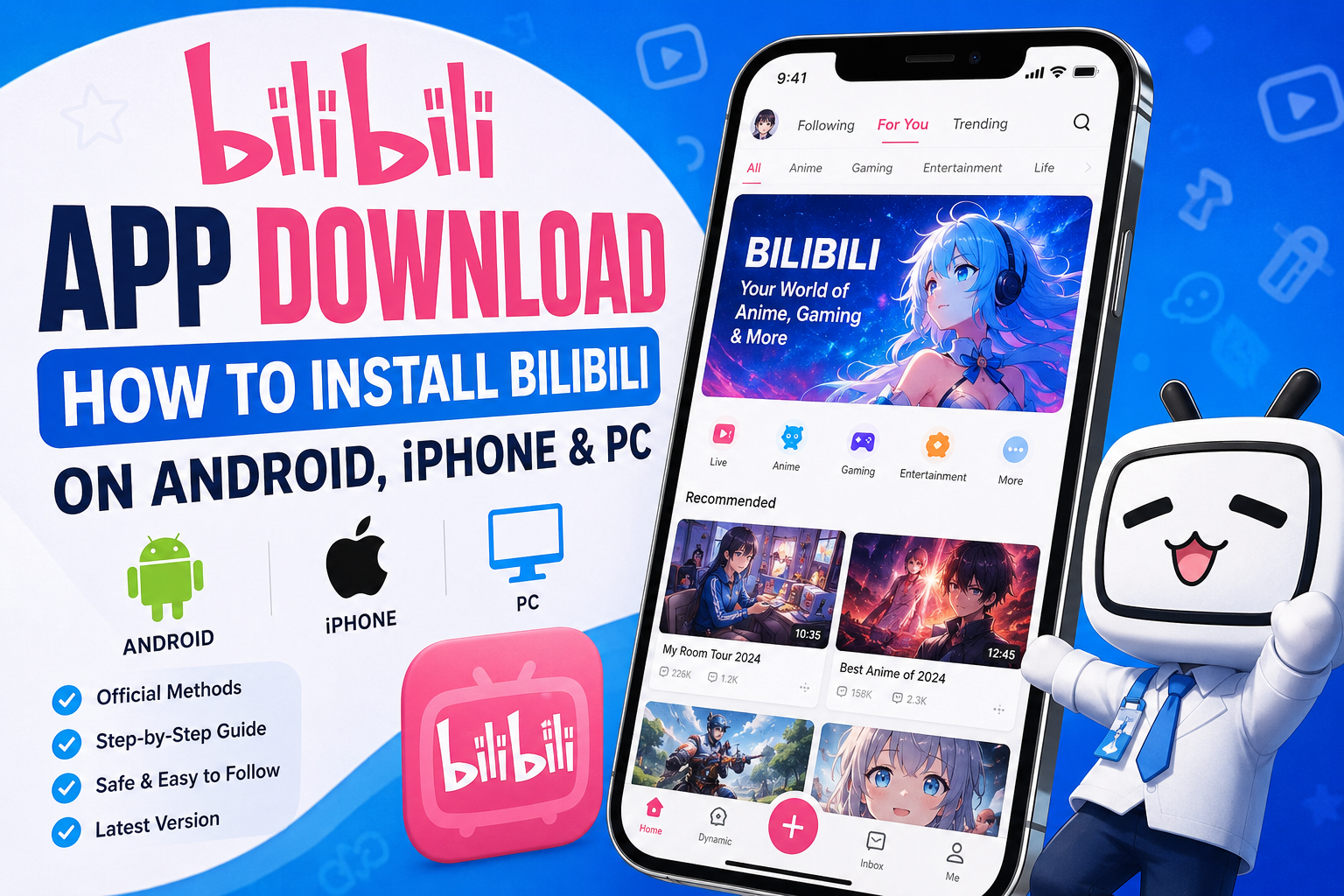
If you’ve been hearing more about Bilibili lately, you’re not imagining it. In August 2026, the Chinese video platform relaunched its international app with a simpler sign-up process and a broader push into markets outside China. That’s led a lot of people to search for the app for the first time — and to wonder which version they should actually download.
This guide walks through what Bilibili is, where to get the official app safely on Android, iPhone, and PC, and how to handle the most common installation problems.
What Is the Bilibili App?
Bilibili is a Chinese video-sharing and community platform, founded in Shanghai in 2009. It’s publicly traded, listed on both Nasdaq (BILI) and the Hong Kong Stock Exchange. The platform grew out of anime, comics, and gaming fan culture — often summarized as “ACG” — and has since expanded into live streaming, tech reviews, cosplay, music, and general user-generated content, alongside licensed anime and Chinese animation (donghua).
Its best-known feature is danmu, or “bullet chat”: comments that scroll across the video in real time, synced to the exact moment a viewer posted them. Instead of a comment section below the video, you see other people’s reactions appear directly on screen as you watch — which gives Bilibili a very different, more communal feel than typical video platforms.
Two groups tend to find Bilibili worth using:
- Anime and donghua fans looking for a large library of licensed titles, including content that’s harder to find on Western platforms.
- Viewers curious about Chinese internet culture, gaming content, or creators who post there instead of (or alongside) YouTube.
As of August 2026, there are effectively two versions of the app: the original Chinese app (哔哩哔哩), aimed at the domestic Chinese market, and a separate international app, recently relaunched with a pink icon and a small globe symbol on the logo, aimed at users outside China. Bilibili has stated both versions carry the same underlying content, but the international app is built around easier sign-up and better localization for non-Chinese users. This is the version most readers outside China will want.
Bilibili App Download: Quick Overview
| Platform | Official Installation Method | Availability | Best Option For |
|---|---|---|---|
| Android | Google Play Store | Live globally as of the August 2026 relaunch, with expanding country support | Most international users |
| iPhone / iPad | Apple App Store | An App Store listing exists, but Bilibili has said a fully updated iOS version tied to the international relaunch is still rolling out | Users willing to check the App Store for the latest listing |
| PC / Windows / Mac | Official website (browser) | Works anywhere a supported browser is available | Anyone who wants to avoid installing extra software |
Only verified, current details are included here. If a detail (such as full iOS availability) is still changing, this guide says so rather than guessing.
How to Download Bilibili on Android
The Bilibili international app relaunched on Google Play in August 2026, dropping the passport/ID verification step that used to make signing up from outside China difficult. Google Play is the official, safest way to install it.
Steps to install on Android:
- Open the Google Play Store app on your phone.
- Tap the search bar and type “Bilibili.”
- Look for the app with the pink icon and small globe symbol in the corner — this marks the international version, as opposed to the original Chinese app.
- Tap Install and wait for the download to finish.
- Once installed, tap Open, then create an account with your email or phone number (no ID or passport document is required for the international version).
A note on regional availability: Bilibili has confirmed the international app officially covers a growing list of markets, including several Southeast Asian countries, with more being added over time. If you’re outside those confirmed markets, the listing may not be visible yet, or features may be more limited.
A note on APK files: Some websites offer Bilibili as a direct APK download instead of going through Google Play. Installing an APK from an unverified third-party site carries real risk — modified or repackaged APKs can contain malware, hidden trackers, or altered permissions that the original app never asked for. There’s no reliable way for an ordinary user to confirm a random site’s APK matches the developer’s actual code. Stick to Google Play whenever it’s available in your region. If you ever do need to sideload an APK for a legitimate reason (for example, a device without Play Store access), only use a file obtained directly from Bilibili’s own official channels, and understand you’re taking on more risk than an app-store install.
How to Install Bilibili on iPhone or iPad
An App Store listing for the international Bilibili app already exists. However, at the time of writing, Bilibili has publicly stated that a fully updated iOS release tied to the August 2026 international relaunch is still “coming soon,” meaning some features or the sign-up flow you see may not yet match the newer Android version.
Steps to check for and install Bilibili on iPhone/iPad:
- Open the App Store.
- Search for “Bilibili.”
- Check the app icon and description carefully — Bilibili has multiple listings from the same developer (including region-specific and companion apps), so confirm you’re looking at the main video/streaming app rather than a spin-off tool.
- Tap Get, then authenticate with Face ID, Touch ID, or your Apple ID password to begin the download.
- Open the app once installed and sign up with your email or phone number.
If you can’t find the app in your regional App Store: App Store availability is controlled by Apple on a country-by-country basis, based on what the developer has submitted for that region. If Bilibili isn’t listed in your country’s store yet, the safest approach is simply to wait for the official rollout to reach your region, or check Bilibili’s own announcements for updates. This guide won’t walk you through changing your App Store region or other workarounds, since that can violate Apple’s terms of service and cause account or payment complications.
How to Use Bilibili on a PC
Bilibili does not currently have a widely verified, officially confirmed standalone desktop application for Windows or Mac. The reliable, official way to use Bilibili on a computer is through your web browser.
Steps to use Bilibili on PC:
- Open your preferred browser (Chrome, Edge, Firefox, Safari, etc.).
- Go to the official Bilibili international website.
- Log in with the same account you use on mobile, or create a new one.
- Browse and watch content directly in the browser — no installation required.
This approach has a real advantage: you’re always using the current, official version, with no separate installer to keep updated and no extra permissions granted to your operating system.
You may come across third-party sites offering a “Bilibili PC client” as a downloadable .exe file, or suggesting you run the Android app through an emulator. These aren’t official Bilibili products, and installing unfamiliar executable files from unofficial sites carries the same risks as sideloading an unverified APK. Unless you have a specific, informed reason to use one of these tools and understand the risks, the browser is the more straightforward and safer option for PC use.
Key Features of the Bilibili App
- Danmu (bullet comments): Real-time viewer comments that scroll across the video as it plays, rather than sitting in a separate comment section.
- Anime and donghua library: A catalog of licensed anime alongside Chinese animation.
- Live streaming: Creators broadcast live, with chat and virtual gifting built in.
- User-generated content: Uploads spanning gaming, tech reviews, cosplay, music, commentary, and more.
- Offline downloads: The app supports downloading video for offline viewing, useful for commutes or flights.
- AI translation tools: As part of the international push, Bilibili has said it’s expanding automatic translation to help non-Chinese-speaking viewers follow more content.
Is the Bilibili App Free?
Yes — downloading and using the core Bilibili app is free, and a large portion of the content library is accessible without paying anything. The app is ad-supported for free users.
Bilibili also offers a paid membership tier (often referred to as a “Premium” or “Big Member” subscription) that removes ads and can unlock additional perks such as higher-quality streaming or exclusive content. Pricing for this membership varies by region and account type, so check the current price shown in your own app or account settings rather than relying on a number from elsewhere — subscription pricing is exactly the kind of detail that changes over time and by country.
Is Bilibili Safe to Download?
Downloading Bilibili through the official Google Play Store or Apple App Store is the safest way to install it, for a simple reason: both platforms run their own review processes and can remove apps that violate their policies, which unofficial download sites don’t offer.
A few things worth keeping in mind:
- App permissions: Like most video and social apps, Bilibili will ask for permissions such as storage access (for offline downloads) and notifications. Review what’s being requested during setup and only grant what you’re comfortable with.
- Account security: Use a strong, unique password, and enable any two-factor authentication option the app offers.
- Keep the app updated: Updates often include security fixes, not just new features. Installing through an official app store means updates happen automatically.
- Avoid modified or “cracked” versions: APKs promising unlocked premium features for free are a common way malware gets distributed. There’s no safe version of a cracked app — if it’s not from the developer or an official store, treat it as untrustworthy.
None of this means Bilibili is risk-free — no app is “100% safe,” and as with any platform, you should think about what personal information you share and how much of your data collection preferences you’re comfortable with. But installing through official channels removes the biggest and most avoidable source of risk.
Common Bilibili Download & Installation Problems
App doesn’t appear in the app store. This is usually a regional availability issue rather than a problem on your end. Double-check you’re searching in the correct regional store, and confirm your country is among those where Bilibili has officially rolled out.
Installation fails partway through. Try restarting your device, confirming you have enough free storage, and checking your internet connection. On Android, clearing the Google Play Store’s cache (Settings > Apps > Google Play Store > Storage > Clear Cache) can also resolve stuck downloads.
App won’t update. Make sure automatic updates are enabled in your app store settings, and that you have sufficient storage space. If an update is stuck, try manually uninstalling and reinstalling from the official store — this won’t affect your account, since your data is tied to your login, not the local app files.
App crashes on open. Force-close the app, restart your device, and check whether an update is available. If crashes continue, uninstalling and reinstalling the latest official version usually resolves it.
Login problems. Since the international relaunch, Bilibili no longer requires passport or government ID verification for basic sign-up outside China. If you’re still having trouble logging in, double-check you’re using the correct account type (some users may have an older account tied to the previous version of the international app) and that you’re entering the right email or phone number format for your region.
App doesn’t work correctly after installation. This can happen if you installed an older or region-mismatched version. Uninstall it, confirm you’re downloading directly from Google Play or the App Store, and reinstall.
Regional availability issues. If a feature, content library, or the app itself isn’t available where you live yet, this reflects Bilibili’s ongoing rollout rather than something wrong with your device. The company has said it plans to expand to more countries over time.
Bilibili App vs. Using Bilibili in a Browser
| Factor | Mobile App | Browser (Web Version) |
|---|---|---|
| Convenience | Easy one-tap access from your home screen | Requires navigating to the site each time |
| Notifications | Supports push notifications for uploads, replies, and live streams | No native push notifications |
| Performance | Generally smoother for video playback and danmu rendering on mobile | Performance depends on your browser and device |
| Storage | Uses device storage; supports offline downloads | No offline downloads; nothing stored locally |
| Updates | Requires periodic app updates through the app store | Always loads the current version automatically |
| Accessibility | Best for phones and tablets | Best for PC, or any device without an available official app |
Neither option is objectively “better” — the app suits regular mobile viewing with offline access, while the browser is the more practical choice on a computer or when you’d rather not install anything.
Frequently Asked Questions
Is Bilibili available on Android? Yes. The international Bilibili app is available through Google Play, with an expanding list of officially supported countries.
Is Bilibili available on iPhone? An App Store listing exists, but Bilibili has indicated that a fully updated iOS release matching the August 2026 international relaunch is still being rolled out. Check the App Store for the current status in your region.
Can I use Bilibili on a PC? Yes, through the official website in your browser. There isn’t a widely verified official standalone desktop application at this time.
Is the Bilibili app free? Yes, the app is free to download and use, with ads for free-tier users. An optional paid membership removes ads and can unlock extra perks.
Where should I download Bilibili? Through the official Google Play Store on Android or the Apple App Store on iOS. For PC, use the official website directly rather than a downloadable client from a third-party site.
Is downloading a Bilibili APK safe? Only if it comes directly from Google Play. APKs from third-party “download” websites carry a real risk of malware or modified code and should be avoided.
Why can’t I find Bilibili in my app store? Most likely a regional rollout issue. Bilibili’s international app is expanding country by country, so it may not yet be listed in your region.
Can I use Bilibili without installing the app? Yes — the web version at Bilibili’s official site works in any modern browser, no installation needed.
How do I update the Bilibili app? Through your app store’s built-in update system (Google Play or the App Store). Automatic updates are the simplest way to stay current.
What should I do if Bilibili won’t install? Check your storage space and internet connection, confirm you’re downloading from the official app store, and try restarting your device before reinstalling.
Final Verdict
For most people outside China, the safest and simplest path is the official international Bilibili app on Android via Google Play, watching for the pink icon with the globe symbol. iPhone users should check the App Store directly, since the iOS rollout is still catching up to Android as of this writing. On a computer, the official website is currently the most reliable option, since there’s no widely verified standalone desktop app. Whatever device you’re using, sticking to official stores and the official site is the one rule that keeps the whole process safe.
Download official App from here
Android:Google Play listing — added under “How to Download Bilibili on Android” and in the FAQ
iPhone/iPad:App Store listing — added under “How to Install Bilibili on iPhone or iPad” and in the FAQ
PC:bilibili.tv — added under “How to Use Bilibili on a PC” and in the FAQ