
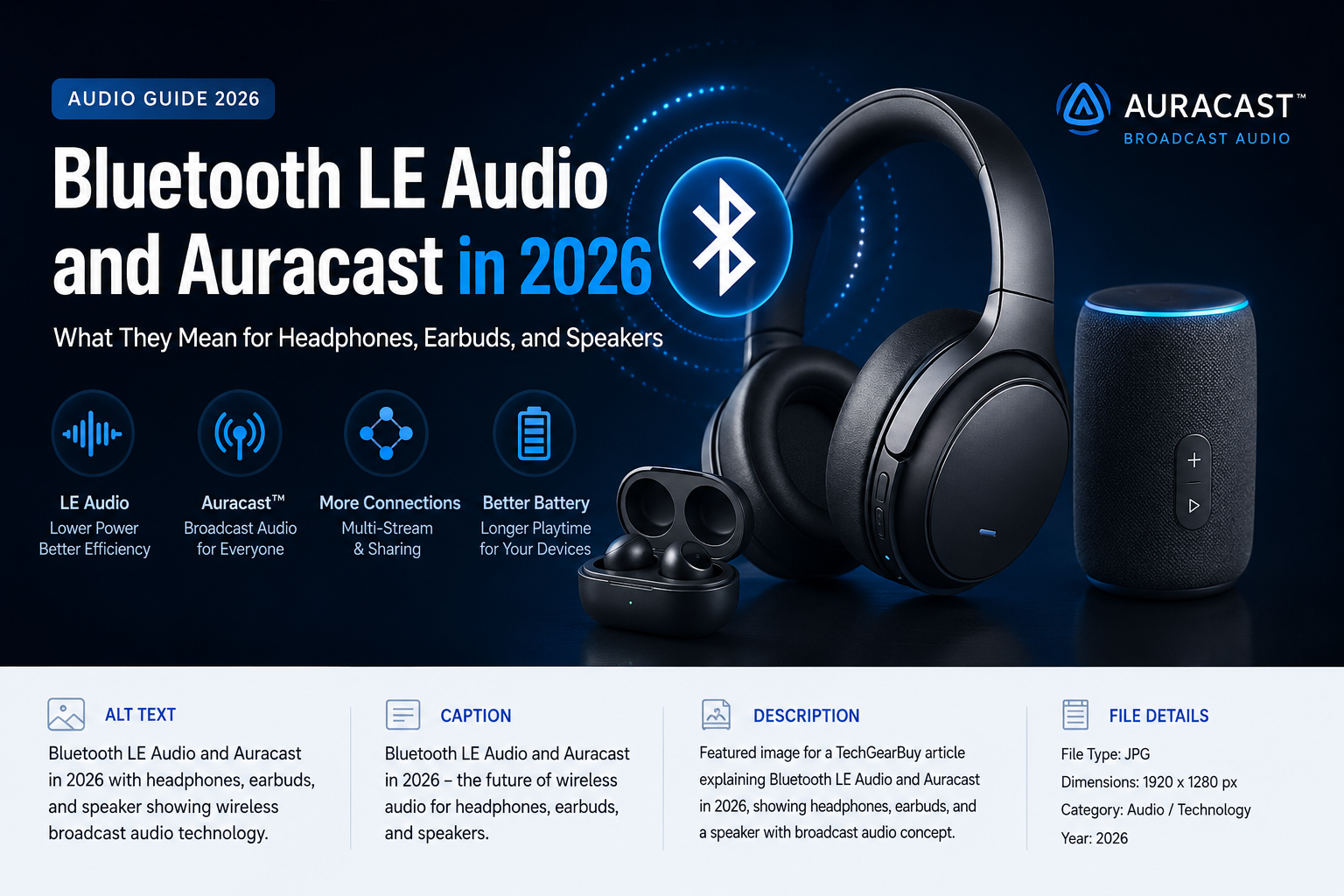
If you’ve bought headphones, earbuds, or a soundbar in the last year or two, you’ve probably noticed a new pair of terms showing up in the spec sheet: Bluetooth LE Audio and Auracast. They’re not marketing fluff, and they’re not simply a faster version of the Bluetooth you already know. They represent the biggest change to how Bluetooth handles sound since wireless earbuds became mainstream.
In 2026, that change is no longer theoretical. Some phones, earbuds, hearing aids, TVs, and even public venues already use these features. Others are still catching up. That gap between “available” and “still rolling out” is exactly what makes this confusing for shoppers — and it’s why this guide exists.
We’ll walk through what Bluetooth LE Audio actually is, what Auracast does, how they compare to the Bluetooth audio you’ve used for years, and — most importantly — what any of this should mean for you the next time you’re buying headphones, earbuds, or a speaker.
What Is Bluetooth LE Audio?
Bluetooth LE Audio is a new audio standard built on top of Bluetooth Low Energy (LE), the low-power radio technology that’s long been used for things like fitness trackers and smartwatches. Historically, LE wasn’t good enough to carry high-quality streaming audio, so headphones and earbuds relied on “Classic” Bluetooth instead. LE Audio changes that by adding audio capability to the low-energy side of Bluetooth for the first time.
At the center of LE Audio is a new codec called LC3 (Low Complexity Communication Codec), developed specifically for this standard. A codec is simply the method used to compress and decompress audio so it can travel wirelessly without needing an enormous amount of bandwidth. LC3 was designed to do this more efficiently than the older SBC codec that’s shipped in most Bluetooth headphones for over a decade.
That efficiency shows up in a few practical ways:
- Power efficiency. Because LC3 can deliver comparable audio using less data, LE Audio devices can use less power to transmit and receive sound — which matters for battery-powered earbuds and hearing devices.
- Scalability. LE Audio was built to support use cases that Classic Bluetooth audio struggles with, particularly sending one audio stream to multiple devices at once.
- Multi-stream audio. Instead of sending a single combined stereo signal to a case that splits it between two earbuds, LE Audio can send independent streams to each earbud. In principle, this can improve reliability and make features like better call quality on a single earbud easier to implement.
It’s worth being clear about what LE Audio is not. It is not a guarantee of better sound, and it’s not a replacement for the audio codecs you may already know, like AAC or aptX, which continue to exist and compete for space in the broader Bluetooth ecosystem. LE Audio is best understood as a new foundation — a set of technical building blocks — that device makers can use to build new features. What they actually do with that foundation varies a lot from brand to brand.
LE Audio matters across a wide range of product categories: true wireless earbuds, over-ear headphones, hearing aids and cochlear implants, speakers, TVs, laptops, and smartphones. Because it’s a platform-level standard rather than a single product feature, its effects show up gradually, as more devices on both ends of a connection adopt it.
What Is Auracast?
Auracast is often mentioned in the same breath as LE Audio, which leads a lot of people to assume they’re the same thing. They’re not. Auracast is a broadcast-audio capability built on top of Bluetooth LE Audio — one specific feature among several that LE Audio makes possible, not a rebrand of Bluetooth headphones in general.
The easiest way to understand Auracast is to compare it to how Bluetooth audio has always worked. Classic Bluetooth is built around a one-to-one connection: your phone pairs with one set of headphones. Auracast is built around one-to-many broadcasting. A single transmitter can send out an audio stream that any number of compatible receivers can tune into — without pairing at all, similar in spirit to tuning into a radio station.
Some practical examples make this easier to picture:
- A television broadcasting audio. Instead of using headphones that pair directly to the TV, a TV or a small Auracast transmitter plugged into it can broadcast the audio, and anyone in the room with compatible headphones or a hearing aid can join the stream — at their own volume, independent of everyone else.
- Airport and train station announcements. Instead of straining to hear a public address system, someone with Auracast-compatible headphones or a hearing aid could, where a venue has installed the technology, receive announcements directly and clearly.
- A classroom or lecture hall. A presenter’s microphone audio could be broadcast directly to a room, which is particularly useful for students who rely on assistive listening.
- A cinema or public venue. Some venues are exploring Auracast as a way to offer clearer audio or alternate-language tracks without needing dedicated hardware for each seat.
- Sharing audio with a friend. Rather than splitting one earbud each in an awkward pairing workaround, two people can each wear their own headphones and listen to the same source at the same time.
- Accessibility. For people who use hearing aids or cochlear implants, Auracast is one of the more meaningful developments in this space in years, because it’s designed to work alongside existing assistive-listening standards like telecoils during the transition period.
Auracast doesn’t require the traditional Bluetooth pairing process, and a single transmitter isn’t limited to one listener. That’s the core distinction: it’s a broadcast model, not a connection model.
Bluetooth LE Audio vs Traditional Bluetooth Audio
Neither technology is universally “better” — they’re suited to different situations, and for the next several years, most people will likely use some mix of both, whether they realize it or not.
| Factor | Traditional (Classic) Bluetooth Audio | Bluetooth LE Audio |
|---|---|---|
| Power efficiency | Generally higher power draw | Designed to use less power for comparable audio |
| Audio transmission | One connection, one combined stereo stream | Can send independent streams to each earbud; supports broadcast |
| Latency | Varies by codec (e.g., aptX Low Latency); not standardized | LE Audio’s low-latency profile can help, but real-world latency still depends on implementation |
| Multi-device / multi-listener | Limited; typically one-to-one, with some multipoint workarounds | Built to support one-to-many broadcast (Auracast) as a core feature |
| Broadcast audio | Not natively supported | Native support via Auracast |
| Compatibility | Extremely broad; supported by nearly all Bluetooth audio devices made in the last 15+ years | Requires both hardware and software support on both ends of the connection |
| Everyday use | Reliable, familiar, works with almost everything | Still uneven; benefits are most noticeable in newer devices and specific scenarios |
| Device requirements | Bluetooth 4.0+ generally sufficient | Requires LE Audio–capable hardware, typically paired with Bluetooth 5.2 or later chipsets and updated software |
The practical takeaway is that Classic Bluetooth audio isn’t obsolete, and it won’t disappear anytime soon. Most headphones sold today, and for the foreseeable future, will continue to support it, partly because it remains the most universally compatible option across older phones, laptops, and accessories.
Why Auracast Matters for Headphones and Earbuds in 2026
For everyday listening — music on a commute, a podcast at your desk — Auracast doesn’t change much. Its impact is felt in the situations where audio has traditionally been either private by necessity or awkward to share:
- Personal listening stays exactly as it’s always been for solo use; Auracast doesn’t change how your headphones sound when you’re the only one listening.
- Shared listening becomes more practical. Two or more people can listen to the same source on their own headphones, each at their preferred volume, without splitting earbuds or using a shared speaker.
- Public broadcasts, where venues have installed compatible transmitters, let people connect to audio (gym TVs, gate announcements, guided tours) directly through their own headphones.
- Accessibility is arguably the area with the clearest, most immediate benefit, particularly for hearing aid and cochlear implant users who can receive broadcast audio more directly than through older assistive-listening workarounds.
- Multiple listeners at once — a genuinely new capability for Bluetooth audio, useful for things like watching TV late at night without disturbing others in the room.
Before assuming any of this will work for you, it’s worth checking both ends of the equation. Auracast requires that both the transmitting device and the receiving device support the relevant features — a phone or TV capable of broadcasting, and headphones or a hearing aid capable of receiving. As of 2026, that combination is not yet universal. Support has generally arrived faster on Android — several Samsung Galaxy and Google Pixel phones, along with some Xiaomi models, have added Auracast broadcasting — while native support on iPhone has not yet arrived, meaning iPhone users typically need a separate Auracast transmitter accessory or a compatible receiving device rather than being able to broadcast from the phone itself. This is exactly the kind of detail that changes quickly, so check current compatibility for your specific devices before assuming a feature will work.
Does Bluetooth LE Audio Improve Sound Quality?
This is one of the most common — and most misunderstood — questions about LE Audio, so it’s worth answering carefully: not automatically, and not by itself.
The LC3 codec at the heart of LE Audio was designed to be more efficient than older codecs like SBC, meaning it can potentially deliver similar or better audio quality at a lower bitrate. But a codec is only one link in a long chain that determines how something actually sounds:
- Codec implementation. Manufacturers can implement LC3 at different bitrates and configurations; a well-tuned implementation will sound different from a minimal one, even with the same codec name on the box.
- Bitrate and device design. Higher bitrates generally allow more audio detail to be preserved, but not every device or use case will use LC3 at its highest quality settings.
- Headphone drivers. The physical hardware producing the sound — the driver, tuning, and acoustic design — has a much bigger effect on how headphones sound than the wireless protocol carrying the signal to them.
- DAC and amplification, where relevant (particularly for wired-adjacent or higher-end setups), also shape final sound quality.
- Source quality. A compressed, low-bitrate stream from a source app will still sound compressed no matter how good the codec carrying it is.
- Streaming-service quality. The audio quality ceiling set by your music or video streaming service still applies; LE Audio can’t add detail that was never in the source file.
In short, LE Audio and LC3 give device makers a more efficient tool to work with, but a “Bluetooth LE Audio” label on a box does not, by itself, tell you how a pair of headphones will sound. Two products with the same LE Audio support can sound noticeably different because of everything downstream of the codec.
Does Bluetooth LE Audio Improve Battery Life?
There’s a reasonable technical basis for LE Audio improving battery life: LC3 is generally more efficient to encode and decode than SBC, and Bluetooth LE radios are, by design, built for lower power draw than Classic Bluetooth. That said, it’s important not to promise a specific number here, because actual battery life on any given pair of headphones or earbuds depends on a long list of other factors that have nothing to do with the audio codec:
- Earbud or headphone design and physical battery capacity
- Whether active noise cancellation (ANC) is enabled
- Use of transparency or ambient modes
- Listening volume
- How well (or poorly) a manufacturer has implemented the LE Audio radio and software stack
- General firmware and software efficiency
- Other features running simultaneously, like touch controls, spatial audio processing, or fitness sensors
So while the underlying technology has real potential to help battery life, the honest answer is that it’s one input among many — and a pair of “LE Audio” earbuds with aggressive ANC and a small battery could easily have shorter battery life than older, non-LE Audio earbuds with a bigger battery and no ANC.
What Devices Support Bluetooth LE Audio and Auracast?
Support is expanding, but unevenly, and it depends on both hardware and software working together — a chip capable of LE Audio, and an operating system or firmware update that actually turns the feature on.
- Smartphones: Several recent Android flagships from Samsung, Google, and Xiaomi support LE Audio and, in some cases, Auracast broadcasting. Apple has not shipped native Auracast support on iPhone as of this writing, though that’s an area worth watching given ongoing pressure from accessibility advocates and the broader industry.
- Headphones and true wireless earbuds: A growing number of models from major brands now list LE Audio or Auracast support, but plenty of current-generation products — including some flagship models — still do not, so it can’t be assumed from price or release year alone.
- Hearing devices: Hearing aids and cochlear implants are one of the fastest-moving categories here, with several manufacturers actively rolling out LE Audio and Auracast-compatible models, often positioned as a meaningful upgrade over older streaming accessories.
- TVs: Some newer TVs include Auracast broadcasting, and dedicated Auracast transmitter accessories exist for TVs that don’t.
- Laptops: Support is still limited and tends to depend on the specific Bluetooth chipset and operating system version.
- Public-audio transmitters: Dedicated Auracast transmitters are increasingly available for venues, and some venues — particularly places like gyms, airports, and public assembly spaces — have begun installing them, though widespread rollout will take time.
Rather than treating this as a fixed list, treat it as a snapshot. Because support depends on both hardware and software, a device that lacks LE Audio or Auracast today isn’t necessarily locked out permanently — but it’s also not something to assume will arrive via a future update. Always check a manufacturer’s current specifications rather than relying on the Bluetooth version number alone.
How to Check Whether Your Devices Support LE Audio or Auracast
- Check the phone’s Bluetooth and audio specifications. Look specifically for “LE Audio” or “Auracast,” not just a Bluetooth version number.
- Check the headphone or earbud specifications. The same rule applies — the product page or manual should explicitly mention LE Audio or Auracast support.
- Look for the terms “LE Audio” or “Auracast” specifically. A Bluetooth 5.2, 5.3, or later chipset is generally a prerequisite, but the version number alone doesn’t guarantee support.
- Check the manufacturer’s support page, since specifications listed in marketing material aren’t always current or complete.
- Check whether a firmware or operating system update is required. Some devices ship with the necessary hardware but need a software update to actually enable the feature.
- Confirm the specific feature is supported — not merely “Bluetooth 5.x.” Bluetooth 5.x is a broad umbrella that includes many devices without LE Audio or Auracast support at all.
Are Bluetooth LE Audio and Auracast Worth Caring About in 2026?
The honest answer depends on who you are:
- Casual listeners who mostly use headphones solo probably won’t notice much difference yet, and don’t need to prioritize this when buying.
- Earbud and headphone buyers shopping for a longer-term purchase may want LE Audio support as a forward-looking feature, without expecting it to transform day-to-day listening immediately.
- Gamers may see some benefit from LE Audio’s low-latency capabilities, but should verify actual latency performance in reviews rather than assuming it from the spec sheet alone.
- Home-theater users who want to watch TV without disturbing others, or who want to share audio with a partner, are one of the groups most likely to get immediate, tangible value from Auracast.
- Frequent travelers may increasingly encounter Auracast in airports and transit hubs as adoption grows, though it’s still inconsistent venue to venue.
- Accessibility-focused users, especially those using hearing aids or cochlear implants, likely have the strongest case for prioritizing LE Audio and Auracast support right now.
- People buying a new smartphone should check current LE Audio and Auracast support if any of the above use cases apply to them, since phone-side support varies significantly by brand.
For most people, LE Audio and Auracast support is a reasonable feature to want in a new purchase, but not a reason on its own to replace headphones or a phone that otherwise works well for you.
What to Look for When Buying Audio Gear in 2026
- LE Audio support, if you want to be prepared for where the ecosystem is heading
- Auracast support, specifically if shared or public listening matters to you
- Codec support more broadly (LC3, AAC, aptX, etc.), since compatibility with your specific phone matters more than any single codec name
- Active noise cancellation (ANC) quality, which varies significantly between products
- Microphone quality for calls, an area where LE Audio’s multi-stream design can help but doesn’t guarantee good results
- Comfort and fit, especially for longer listening sessions
- Battery life, based on real-world reviews rather than headline codec claims
- Multipoint connectivity, if you regularly switch between devices like a laptop and phone
- Latency, particularly important for gaming or watching video
- App and software support, including how often a manufacturer ships firmware updates
- Device compatibility with your specific phone, laptop, or TV
- Repairability and durability, where relevant to how long you expect to keep the product
The underlying point is that no single specification — including LE Audio or Auracast support — should be the deciding factor on its own. It’s one line item in a broader set of needs.
The Future of Wireless Audio
Looking ahead, a few developments seem like reasonable possibilities, though none of them should be treated as certainties:
- Broader Auracast adoption in public venues, assuming transmitter costs continue to come down and more device makers add receiver support.
- More natural multi-device audio experiences, such as easily sharing what you’re listening to with a friend without cables, adapters, or awkward pairing steps.
- Continued accessibility gains, particularly as hearing aid and cochlear implant manufacturers expand LE Audio and Auracast support.
- Expansion of public broadcast audio into more everyday spaces — gyms, waiting rooms, places of worship, and transit hubs among the categories most frequently discussed by industry groups.
- Smarter audio devices that combine LE Audio’s efficiency with on-device processing for things like adaptive noise cancellation.
- AI-assisted audio features, an active area of development across the industry, though specifics vary widely by manufacturer and shouldn’t be assumed for any particular product.
- Continued interest in spatial audio and open-ear designs, which are separate trends from LE Audio itself but are often marketed alongside it.
These are directions the industry appears to be moving in, not guarantees of what will ship or when.
Frequently Asked Questions
Is Bluetooth LE Audio better than regular Bluetooth? It’s different rather than strictly better. LE Audio is generally more power-efficient and adds broadcast capability that Classic Bluetooth doesn’t have, but sound quality still depends heavily on implementation, not just which Bluetooth version is used.
What is Auracast used for? Auracast is a broadcast-audio feature that lets one device send audio to multiple compatible receivers at once — useful for shared TV listening, public announcements, venue broadcasts, and accessibility applications like hearing aids.
Do all Bluetooth 5 headphones support LE Audio? No. Bluetooth 5.x covers a wide range of devices, many of which don’t include LE Audio hardware or software support. Always check the specific product listing rather than assuming from the Bluetooth version alone.
Do I need new headphones for Auracast? In most cases, yes — Auracast requires LE Audio–capable hardware, which older headphones typically don’t have, though some newer models may gain support through a firmware update if the underlying hardware supports it.
Does Bluetooth LE Audio improve battery life? It has the technical potential to, thanks to the more efficient LC3 codec and lower-power LE radio, but real-world battery life still depends heavily on device design, features like ANC, and manufacturer implementation.
Does LE Audio mean better sound quality? Not automatically. LE Audio provides a more efficient codec and platform, but actual sound quality depends on implementation, bitrate, headphone drivers, and source audio quality.
Can Auracast connect multiple headphones? Yes — that’s its core function. A single Auracast broadcast can be picked up by multiple compatible headphones or hearing devices at the same time.
Is Auracast available on phones in 2026? Partially. Several Android phones, including recent models from Samsung, Google, and Xiaomi, support Auracast broadcasting. Native support on iPhone has not yet arrived as of this writing, so check current specifications for your specific device.
Should I buy LE Audio headphones in 2026? If accessibility, shared listening, or future-proofing matter to you, it’s a reasonable feature to prioritize. For casual, primarily solo listening, it’s fine to weigh it as one factor among several rather than a must-have.
What is the difference between Auracast and normal Bluetooth pairing? Normal Bluetooth pairing creates a one-to-one connection between two specific devices. Auracast allows one transmitter to broadcast to an unlimited number of receivers without a traditional pairing process.
Final Verdict
Bluetooth LE Audio and Auracast represent a genuine shift in how wireless audio works — not because they make every pair of headphones sound better overnight, but because they open up broadcast and multi-listener scenarios that Classic Bluetooth was never designed to handle. In 2026, that shift is real but still uneven: support varies by phone, by headphone model, and by venue, and Classic Bluetooth audio remains solidly relevant for the vast majority of everyday listening.
If you’re shopping for headphones, earbuds, or a speaker, it’s worth checking for LE Audio and Auracast support, especially if shared listening or accessibility matters to you. But treat it as one part of a bigger decision — alongside comfort, battery life, microphone quality, and how a product actually sounds — rather than the single feature that should decide your purchase.