
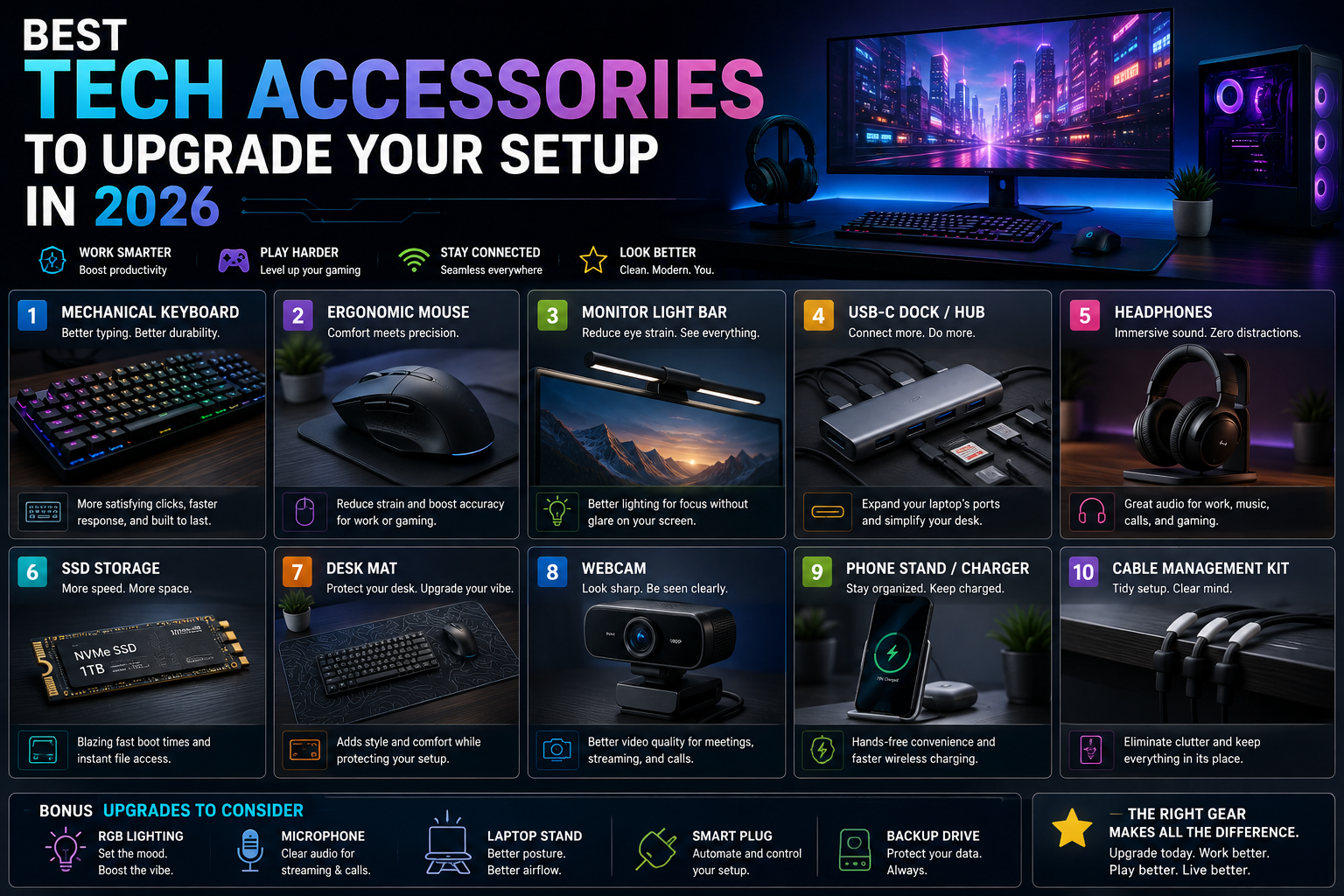
Whether you work from a laptop, run a multi-monitor desktop, or just want your phone to charge without a tangle of cables, the right accessories can quietly transform how you use your devices every day. Technology in 2026 isn’t only about the phone, laptop, or gaming rig you buy — it’s about everything that supports it.
The accessory market is bigger than ever, which is both good and bad news. Good, because there’s a solution for nearly every inconvenience in your setup. Bad, because not every product on the shelf is actually worth your money. A genuinely useful accessory solves a real problem, works reliably, and doesn’t bury its value under features you’ll never use.
This guide walks through the most useful categories of tech accessories in 2026, what each one actually does for you, and how to evaluate options before you buy.
1. USB-C Hubs and Docks
USB-C has become the standard connection point for most modern laptops, tablets, and even some phones. The problem is that many thin, modern laptops ship with only two or three USB-C ports and nothing else — no HDMI, no SD card slot, no full-size USB-A.
A USB-C hub or dock fills that gap. Depending on the model, it can add:
- USB-A ports for older peripherals
- HDMI or DisplayPort output for external monitors
- Ethernet for a wired network connection
- SD or microSD card slots for cameras and creators
- Additional USB-C ports for charging or data
What to check before buying a hub or dock
- Data speed and standard. Not all hubs support the same USB or Thunderbolt speeds, so match the hub to what your device actually supports.
- Display resolution and refresh rate. If you plan to connect an external monitor, confirm the hub supports the resolution and refresh rate you want.
- Power delivery. Some hubs can pass through charging power to your laptop while you use other ports; others can’t.
- Compatibility. Confirm the hub works with your specific laptop or tablet model, since some ports are data-only and won’t support video or charging.
2. Wireless Chargers
Wireless charging removes one small but repeated friction point: plugging in a cable every time you set your phone down. A wireless charging pad or stand on a desk or nightstand lets you top up your battery just by placing your phone on it.
Before buying one, it’s worth checking two things: whether your phone supports the wireless charging standard the charger uses, and whether the charger’s output matches what your phone can actually accept. A charger that’s technically compatible but underpowered for your device will still charge — just more slowly than you might expect.
What to look for in a wireless charger
- Confirmed compatibility with your phone’s wireless charging standard
- A charging speed that matches your device’s supported input
- A stable, non-slip design, especially for stands used at an angle
- Case compatibility, since some thick or metal-backed cases can interfere with charging
3. Wireless Keyboards and Mice
A wireless keyboard and mouse can clean up a desk considerably and make a workspace easier to move or rearrange. The category has grown well beyond basic office peripherals — there are now compact keyboards, ergonomic mice, mechanical keyboards, and rechargeable models built for different working styles.
For most everyday use, comfort and reliability matter more than a long spec sheet. A keyboard that feels good after hours of typing and a mouse that tracks accurately will do more for your day-to-day experience than extra programmable buttons you may rarely touch.
Choosing the right fit
- Layout and size. Compact keyboards save desk space; full-size boards keep the numpad and dedicated keys.
- Switch type (for mechanical keyboards). Different switches affect sound and feel, so personal preference matters more than any single “best” option.
- Ergonomics. If you spend long hours at a desk, an ergonomic mouse or split keyboard can reduce strain over time.
- Connectivity. Bluetooth, a USB receiver, or both — some setups benefit from being able to switch between multiple devices.
4. Laptop Stands
A laptop stand raises your screen closer to eye level, which can make a real difference for posture during long work sessions. It also frees up desk space underneath the laptop, making it easier to use a separate keyboard and mouse alongside it.
What matters in a laptop stand
- Stability. The stand should hold your laptop firmly, without wobbling, at whatever height you choose.
- Height and angle adjustment. Look for a range that lets you position the screen at a comfortable eye level.
- Weight and size compatibility. Confirm the stand is rated for your laptop’s size and weight, especially for larger 16-inch or gaming laptops.
- Portability. If you plan to travel with it, foldable or lightweight designs are worth prioritizing over bulkier stationary stands.
5. External Storage
External SSDs have become the go-to choice for storing large files, backing up important data, and transferring projects between devices. Compared to traditional external hard drives, SSDs generally offer faster access speeds and have no moving mechanical parts, which also makes them more resistant to damage from drops or impacts.
Performance can vary significantly between models, though, so it’s worth looking past the marketing and checking the actual specifications.
What to check before buying external storage
- Connection standard. USB, USB-C, and Thunderbolt connections all offer different maximum speeds.
- Advertised read and write speeds. These affect how quickly you can transfer or access large files.
- Storage capacity. Match the capacity to your actual use case, whether that’s backups, media libraries, or project files.
- Durability features, such as a rugged casing, if the drive will be carried around frequently.
6. USB-C Cables
A cable seems like the simplest purchase on this list, but not all USB-C cables are built the same. Some are designed mainly for charging, while others also support high-speed data transfer, video output, or higher power delivery levels.
Using the wrong cable for the job is a common source of frustration — a charging-only cable plugged into a display setup simply won’t carry a video signal, no matter how new or expensive it looks.
What to check before buying a cable
- Data transfer support, if you need the cable for more than just charging
- Power delivery rating, especially for charging laptops or fast-charging phones
- Video output support, if you plan to connect a display
- Cable length and build quality, particularly for cables that will be moved or coiled frequently
7. Headphones and Earbuds
Headphones and wireless earbuds remain some of the most-used tech accessories, spanning work calls, commutes, workouts, and gaming sessions. The right pair depends heavily on how you plan to use them, rather than which model has the longest list of features.
Key factors to weigh
- Sound quality, matched to your listening preferences
- Comfort, especially for extended wear during work or travel
- Battery life, particularly important for earbuds used throughout a full day
- Microphone quality, if you’ll use them for calls or meetings
- Connection stability, especially in environments with a lot of wireless interference
- Noise cancellation, useful for commuting, open offices, or frequent travel
8. Desk Accessories
A well-organized desk can make everyday technology noticeably easier to use, even if these accessories don’t affect device performance directly. Cable organizers, monitor stands, desk mats, charging stations, and adjustable lighting all contribute to a workspace that’s more comfortable and efficient to use day after day.
These are often the accessories people overlook first — but a tangle-free desk with everything charged and within reach tends to make the biggest difference in daily comfort.
What to Look for Before Buying
Before purchasing any tech accessory, a few general principles apply across every category above.
Check compatibility first
Confirm the accessory works with your specific device: ports, supported standards, operating system compatibility, power requirements, and physical dimensions. An accessory that looks perfect on paper isn’t useful if it doesn’t fit your setup.
Compare real features, not marketing claims
Look at the actual specifications — data speeds, power output, materials, dimensions — rather than relying on promotional language alone. Two products can use similar marketing terms while performing very differently.
Price isn’t a guarantee of quality
A higher price doesn’t automatically mean a better accessory. The right product is the one that provides the features you actually need and works reliably with your existing equipment, not necessarily the most expensive option on the shelf.
Final Thoughts
Tech accessories are often small additions to a setup, but the right ones can make everyday technology considerably easier to live with. Whether you’re after more connectivity, better cable management, faster storage, or more comfortable peripherals, the accessories that matter most are the ones that solve a problem you actually have.
As new products continue to enter the market throughout 2026, it’s worth choosing based on your actual workflow and needs rather than chasing whatever accessory is newest. A thoughtful, compatible setup will almost always beat a flashy one.
Tom’s Guide – A first-hand desk setup breakdown from Tom’s Guide’s editorial team covering monitor arms, ergonomic chairs, charging docks, and gaming/productivity accessories they actually use daily, rather than a generic list. Click here to open the guide.
Gulf News – A budget-conscious accessories roundup covering monitor arms, headphone stands, and desk organizers that help clear clutter and improve workflow without a big spend. Click here to open the guide.