
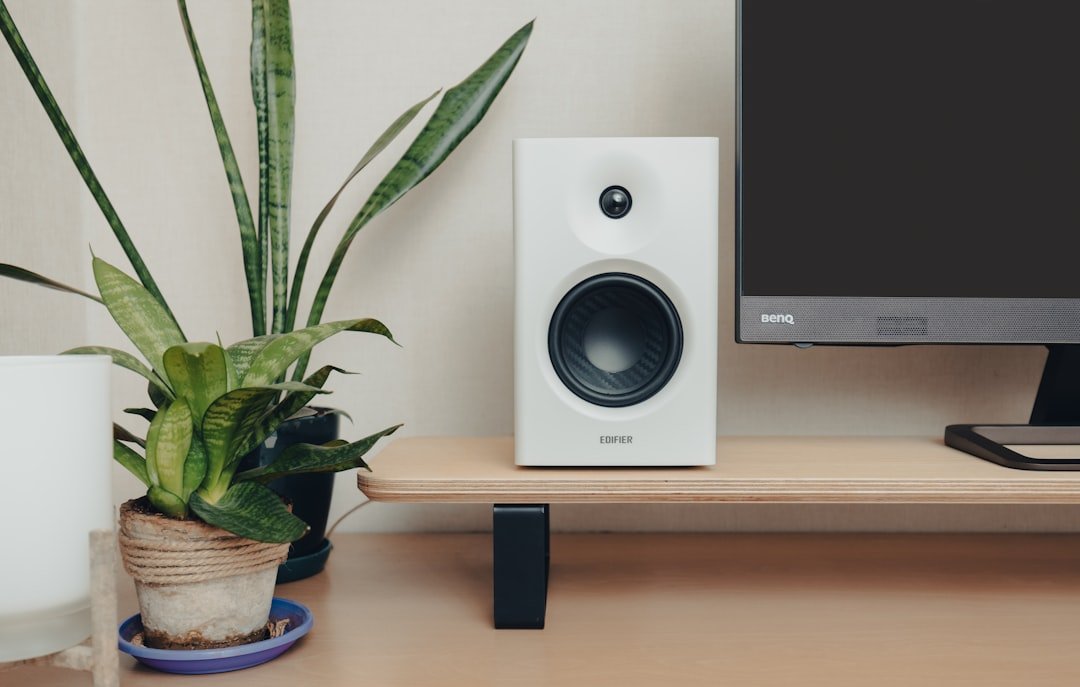
—
🎧 Introduction – Why Your PC Deserves Great Speakers
You’ve probably spent hours tweaking your monitor’s resolution, overclocking your CPU, and hunting down the perfect gaming mouse. Yet, when it comes to audio, many PC owners settle for the cheap, tinny “built‑in” speakers that come with a laptop or a desktop tower. If you’ve ever tried to enjoy a cinematic game, binge‑watch a thriller, or mix a podcast on a machine that sounds like it’s broadcasting from a cardboard box, you know the frustration all too well.
Hook: Imagine the moment you fire up your favorite game, the soundtrack swells, and every footstep, explosion, and whisper is rendered with crystal‑clear depth—right from your desk. That immersive experience isn’t reserved for high‑end gaming rigs or home‑theater setups; it starts with the right pair of PC speakers.
In this 2,000‑word deep dive we’ll explore everything you need to know about PC speakers: the technology behind them, how to match them to your use case (gaming, music, movies, or content creation), the top features to look for, and a step‑by‑step guide to set them up for optimal performance. By the end, you’ll be equipped to pick the best PC speakers for your budget, space, and sound‑quality expectations—without getting lost in jargon or endless Amazon listings.
—
1. Understanding the Basics – How PC Speakers Work
Before you start comparing brands, it helps to know what makes a speaker tick. This foundation will let you cut through marketing hype and focus on specs that truly matter.
1.1 Driver Types: Woofers, Tweeters, and Mid‑Range
- Woofers (or bass drivers) handle low frequencies (20‑200 Hz). They give you that thump you feel in your chest during a bass drop.
- Tweeters reproduce high frequencies (2 kHz‑20 kHz). They’re responsible for crisp vocals, cymbals, and subtle details.
- Mid‑range drivers sit between woofers and tweeters, covering the core of most music and dialogue.
- Sealed (acoustic suspension) enclosures trap air inside, delivering tight, accurate bass. They’re ideal for small rooms and for users who prioritize precision over volume.
- Ported (bass‑reflex) enclosures have a vent that lets air move in and out, boosting low‑frequency output. If you love booming soundtracks and want a louder “room‑filling” feel, a ported design can be a good fit—provided you have enough desk space.
- Logitech G560 LIGHTSYNC 2.1 – RGB lighting, THX certification, and powerful subwoofer.
- Creative Sound BlasterX Katana 7.1 – Virtual 7.1 surround with built‑in DAC, great for small desks.
- Razer Nommo Pro – Compact 2.0 design with Dolby‑Atmos support via USB.
- Audioengine A2+ Wireless – Compact, USB DAC, excellent for desktop setups.
- Klipsch ProMedia 2.1 – Clear mids, powerful sub, great for both music and movies.
- Edifier R1280T – Affordable, wooden cabinet, dual RCA inputs, good for beginners.
- Samsung HW‑J355 – 5.1 system with wireless rear speakers, great for compact rooms.
- Bose Companion 5 – 2.1 system with virtual surround, sleek design.
- Creative Pebble Plus – Budget‑friendly 2.1 with a surprisingly punchy sub.
- Use short, high‑quality 3.5 mm or RCA cables to reduce signal loss.
- Keep power cords away from audio cables to avoid hum caused by electromagnetic interference.
- If you have multiple devices (PC, console, phone), invest in a compact audio switch or a multi‑input speaker to avoid constantly unplugging cables.
- Dust regularly with a soft brush or microfiber cloth; dust on drivers can affect diaphragm movement.
- Check connections every few months; loose plugs can cause crackling or intermittent sound.
- If you notice rattling or distortion at high volumes, the speaker’s woofer may be over‑driven—lower the volume or consider a more powerful amp.
A 2‑way speaker combines a woofer and a tweeter; a 3‑way adds a dedicated mid‑range driver for even smoother transitions. For most desktop setups, a high‑quality 2‑way design is more than enough, but audiophiles may gravitate toward 3‑way models.
1.2 Enclosure Design: Sealed vs. Ported
1.3 Power & Amplification
Most computer speakers are self‑powered, meaning each driver has a built‑in amplifier. This simplifies wiring (just plug into a 3.5 mm jack or USB) and ensures consistent volume levels. However, some higher‑end desktop speakers use external amplifiers (often called a “subwoofer” or “receiver”) to deliver more power and finer control over bass.
1.4 Connectivity Options
| Connection Type | Typical Use | Pros | Cons |
|—————–|————-|——|——|
| 3.5 mm Analog | Standard headphone jack, most PCs | Universal, low latency | Limited to stereo; no separate volume control |
| USB (Digital) | Plug‑and‑play, sometimes includes DAC | Cleaner signal, can power speakers | Requires drivers on some OSes |
| Bluetooth | Wireless convenience | No cables, easy pairing | Potential latency, compression |
| Optical (TOSLINK) | High‑resolution audio, gaming consoles | Lossless, no electrical interference | Requires compatible source |
| RCA / 3.5 mm combo | Dual‑source flexibility | Can connect to TV, phone, etc. | More cables to manage |
When you’re choosing speakers, think about how you’ll connect them now and in the future. If you plan to use the same speakers for a console or a smartphone, a model with multiple inputs will save you from buying extra adapters.
—
2. Matching Speakers to Your Use Case
Not all PC speakers are created equal, and the “best” pair depends heavily on what you primarily do with your computer. Below we break down the three most common scenarios and recommend key specs for each.
2.1 Gaming – The Need for Precision and Immersion
Why it matters: In competitive shooters, a subtle footstep or a distant reload can be the difference between a win and a loss. In story‑driven titles, a well‑placed rumble or whisper adds to the cinematic experience.
Key Features for Gaming Speakers:
| Feature | What to Look For | Why It Helps |
|———|——————|————–|
| Surround‑Sound Capability | 2.1, 5.1, or virtual 7.1 via software | Gives directional cues and a wider soundstage |
| Low Latency | USB or dedicated gaming audio drivers | Reduces audio lag that can feel out of sync |
| Dedicated Subwoofer | 6‑12 inches, ≥30 W RMS | Provides impactful bass for explosions |
| RGB Lighting (optional) | Syncs with motherboard or game events | Aesthetic boost, not performance‑related |
| DSP Profiles | “FPS,” “RPG,” “Movie” presets | Quick tuning without external software |
Top Picks (2024):
2.2 Music & Audio Production – Accuracy Over Loudness
Why it matters: Musicians, podcasters, and video editors need a flat frequency response so that what they hear is what they produce. Over‑emphasized bass or treble can lead to mixes that sound off on other systems.
Key Features for Music‑Focused Speakers:
| Feature | What to Look For | Why It Helps |
|———|——————|————–|
| Flat Frequency Response | ±3 dB from 40 Hz‑20 kHz | Ensures accurate reproduction |
| High‑Resolution Input | USB‑DAC, optical, or 24‑bit/96 kHz support | Captures more detail from source |
| Bi‑amplified Design | Separate amps for woofer & tweeter | Cleaner sound, less distortion |
| Adjustable EQ | Software or hardware controls | Fine‑tune to room acoustics |
| Studio‑Grade Build | Sturdy cabinets, minimal resonance | Reduces coloration |
Top Picks (2024):
2.3 Movies & Home‑Theater Feel – Big Sound on a Small Desk
Why it matters: A good movie night at your desk should feel like a mini‑theater, with deep bass and an enveloping soundstage.
Key Features for Home‑Theater‑Style Speakers:
| Feature | What to Look For | Why It Helps |
|———|——————|————–|
| 5.1 or 2.1 Channel | Sub + satellite speakers | Adds depth and directional audio |
| High SPL (Sound Pressure Level) | ≥90 dB @ 1 m | Allows louder playback without distortion |
| Dolby Atmos or DTS Support | Virtual height channels | Gives a 3‑D audio experience |
| Wall‑Mountable Satellites | Adjustable brackets | Saves desk space |
| Bass‑Reflex Enclosure | Ported subwoofer | Boosts low‑frequency impact |
Top Picks (2024):
—
3. How to Set Up Your PC Speakers for Optimal Performance
Even the best speakers can sound lackluster if they’re not positioned or configured correctly. Follow this checklist to get the most out of your investment.
3.1 Placement – The Science of Speaker Positioning
1. Stereo Pair (Left/Right):
– Place speakers equidistant from your listening position, forming an equilateral triangle.
– Keep the tweeters at ear level (about 1.2 m for most adults).
– Angle the speakers inward (“toeing‑in”) so they point directly at your ears.
2. Subwoofer:
– For sealed subs, place them against a wall or in a corner for added bass.
– For ported subs, try the “subwoofer crawl”: place the sub where you normally sit, play a bass‑heavy track, then crawl around the room to find where the bass sounds best; that spot becomes your sub’s new location.
3. 5.1 Satellites:
– Front left/right speakers stay as above.
– Center channel sits directly above or below the monitor.
– Rear speakers should be placed behind your listening position, slightly above ear height, angled toward you.
4. Acoustic Treatment:
– Soft furnishings (curtains, rugs) absorb excessive reflections, improving clarity.
– If you have a very reflective desk surface, consider a foam pad under the speakers.
3.2 Cable Management & Power Considerations
3.3 Software Calibration – Getting the Right Balance
1. Windows Sound Settings:
– Right‑click the speaker icon → Sounds → Playback → select your speakers → Properties → Enhancements. Turn off “Loudness Equalization” unless you need it for low‑volume content.
– Use the Balance sliders to fine‑tune left/right output.
2. Equalizer Apps:
– Equalizer APO (free, Windows) + Peace GUI gives you a powerful parametric EQ.
– For macOS, Audio Hijack or eqMac can shape the frequency response.
3. Room Correction Software:
– Some high‑end speakers (e.g., Razer Nommo Pro) come with a calibration mic and software that measures your room’s acoustics and automatically adjusts EQ.
– If your speakers lack built‑in correction, you can use Dirac Live (paid) or REW (Room EQ Wizard) with a USB mic.
3.4 Optimizing for Different Content
| Content Type | Recommended Settings |
|————–|———————-|
| Gaming | Low latency mode (USB), boost bass slightly (subwoofer +3 dB), enable virtual surround if available |
| Music | Flat EQ, turn off any “bass boost” or “vocal boost” presets |
| Movies | Enable surround (5.1/7.1), increase SPL for explosions, consider a slight “cinema” EQ (low‑mid boost) |
| Voice Calls/Podcasting | Reduce treble to avoid harshness, enable “speech clarity” if the speaker software offers it |
3.5 Maintenance – Keep Your Speakers Sounding Fresh
—
4. Budgeting – Getting the Best Value at Every Price Point
You don’t need to break the bank to enjoy great audio. Below is a quick price‑tier guide that highlights what you can realistically expect at each budget level.
| Budget | Typical Features | Example Models (2024) |
|——–|——————|