
—
Hooked from the First Sound: Why Wired Headsets Still Matter in a Wireless World
Imagine you’re deep in a multiplayer battle, the enemy’s footsteps echoing just behind you, or you’re on a crucial Zoom call where every word counts. In those moments, crystal‑clear audio isn’t a luxury—it’s a necessity. While Bluetooth earbuds and wireless gaming headsets have taken the spotlight, the humble wired headset remains the gold standard for reliability, latency‑free performance, and unbeatable price‑to‑quality ratio.
In this 2,000‑word deep dive, we’ll explore everything you need to know about wired headsets: how to pick the right one for gaming, work, or music; the technology that powers them; practical tips to get the most out of your gear; and a maintenance checklist that will keep them sounding fresh for years. Whether you’re a seasoned audiophile, a remote‑worker, or a casual listener, this guide will help you make an informed, confident purchase—and keep your headset humming along for the long haul.
—
1. Decoding the Anatomy of a Wired Headset
1.1 Drivers: The Heartbeat of Audio Quality
The driver is the tiny speaker inside each ear cup that converts electrical signals into sound waves. Most consumer‑grade wired headsets use dynamic drivers ranging from 30 mm to 50 mm. Larger drivers typically deliver richer bass and a broader soundstage, while smaller drivers can excel at detail and clarity.
Key takeaway: If you prioritize booming low‑end for gaming explosions or EDM, look for a headset with 40 mm–50 mm drivers. For vocal‑centric podcasts or classical music, a 30 mm‑35 mm driver with a high sensitivity rating (≥ 100 dB SPL/1 mW) may serve you better.
1.2 Impedance & Sensitivity: Matching Headset to Source
- Impedance (measured in ohms) indicates how much electrical resistance the headset presents to the source. Low‑impedance models (≤ 32 Ω) are easy to drive from smartphones, laptops, and gaming consoles. High‑impedance headsets (≥ 250 Ω) often require a dedicated amp but can deliver cleaner, more nuanced sound when properly powered.
- Sensitivity measures how loud the headset gets for a given input power. Higher sensitivity means you’ll need less volume to reach comfortable levels, which can reduce distortion.
- SteelSeries Arctis 5 Wired – 40 mm drivers, detachable braided cable, ClearCast mic with bidirectional noise cancellation.
- HyperX Cloud II – 53 mm drivers, 7.1 virtual surround, plush leatherette ear pads, and a durable steel frame.
- High‑definition voice transmission – Look for “studio‑grade” or “HD voice” labeling.
- Passive or active mic noise reduction – Reduces background chatter in open‑plan offices.
- Lightweight design – Prevents neck fatigue during marathon meetings.
- Logitech H390 – USB‑A connection, noise‑cancelling mic, in‑line volume control.
- Jabra Evolve 40 – 32 Ω, dual‑connectivity (USB & 3.5 mm), excellent mic isolation.
- Open‑back vs. closed‑back – Open‑back designs (e.g., Sennheiser HD 598) provide a wider soundstage, while closed‑back (e.g., Audio‑Technica ATH‑M50x) deliver better isolation.
- Low impedance (≤ 32 Ω) for portable devices, or high impedance (≥ 250 Ω) paired with a DAC/amp for desktop listening.
- Balanced cables (4.4 mm or XLR) – Offer superior channel separation and lower noise for high‑end setups.
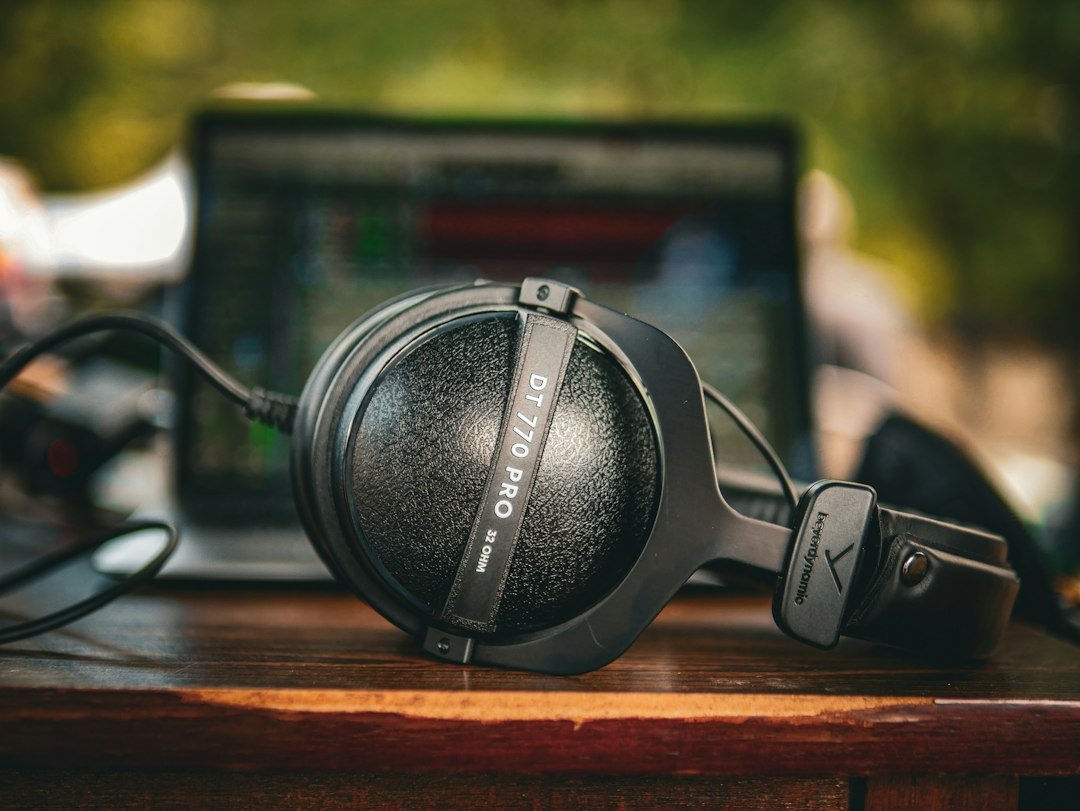
- Beyerdynamic DT 770 Pro (80 Ω) – Closed‑back, studio‑grade clarity, excellent for mixing.
- Sony MDR‑7506 – Classic, neutral sound, low impedance, great for both music and voice work.
- Solid build quality (metal hinges, reinforced cables).
- Decent driver size (30–40 mm) and a frequency response that covers 20 Hz–20 kHz.
- Positive user reviews regarding durability and comfort.
- Kotion Each G2000 – Gaming‑oriented, 50 mm drivers, detachable cable.
- TaoTronics TT‑BH014 – Office‑focused, USB connection, noise‑cancelling mic.
- Gaming: Enable virtual 7.1 surround only if your headset lacks physical drivers for true surround.
- Professional work: Turn off any “bass boost” or “3D sound” to keep the audio flat and accurate.
- Materials: Use a soft microfiber cloth slightly dampened with a 70% isopropyl alcohol solution.
- Procedure: Gently wipe the outer surface; avoid soaking the pads. For leatherette pads, apply a small amount of leather conditioner after cleaning.
- Frequency: Once a week for daily users, bi‑weekly for occasional users.
- Avoid Sharp Bends: Keep the cable’s radius larger than 2 cm to prevent internal wire breakage.
- Coiling Technique: Use the “over‑under” method (alternating loops) to reduce stress.
- Storage: Hang the headset on a stand or store it in a protective case with the cable loosely draped.
- Pop Filter Replacement: If your mic includes a foam windscreen, replace it every 3–4 months.
- Dust Removal: Use a soft brush or compressed air to clear debris from the mic grille.
- Bug fixes (e.g., mic mute button not responding).
- Performance tweaks (improved DSP algorithms).
Actionable tip: Pair a low‑impedance, high‑sensitivity headset with portable devices, and reserve high‑impedance, low‑sensitivity models for desktop rigs with a quality DAC/amp combo.
1.3 Cable Construction: The Unsung Hero
A sturdy cable can be the difference between a headset that lasts five years and one that frays after a few months. Look for:
| Feature | Why It Matters |
|———|—————-|
| Braided nylon or Kevlar shielding | Resists tangling, reduces micro‑phonics, and adds durability. |
| Gold‑plated connectors | Improves conductivity and resists corrosion. |
| Detachable cable (with a locking mechanism) | Allows easy replacement if the cable gets damaged. |
Pro tip: If you’re a gamer who yanks the mic often, a detachable, reinforced cable can save you from costly repairs.
1.4 Microphone Types & Noise‑Cancellation |
Most wired headsets come with an omnidirectional or unidirectional mic. Omnidirectional mics pick up sound from all directions—great for group calls—but can also capture background noise. Unidirectional (cardioid) mics focus on your voice and mute ambient chatter, making them ideal for noisy environments.
Some headsets incorporate passive noise isolation (using foam ear pads) or active noise cancellation (ANC) for the mic, which digitally filters out background sounds. While ANC is more common in premium wireless models, a few wired headsets now offer this feature at a reasonable price.
Bottom line: Choose a headset with a unidirectional mic and, if possible, a built‑in pop filter if you record vocals or stream.
—
2. Choosing the Right Wired Headset for Your Lifestyle
2.1 Gaming Headsets: Speed, Comfort, and Immersive Sound
| What Gamers Want | Recommended Specs |
|——————|——————-|
| Zero latency | Pure analog signal, no Bluetooth lag. |
| Surround sound | 5.1 or 7.1 virtual surround via built‑in DSP. |
| Comfort for long sessions | Memory‑foam ear cups, adjustable headband, lightweight chassis. |
| Clear communication | Noise‑cancelling boom mic, mute button. |
Top Picks (2024):
Actionable advice: Test the headset’s ear cup pressure before buying. If you can’t try it in store, look for user reviews that mention “tightness” or “comfort after 4‑hour sessions.”
2.2 Office & Remote‑Work Headsets: Clarity Over Bass
When you’re on a conference call, intelligibility beats bass response. Prioritize:
Best‑in‑class options:
Implementation tip: Pair your headset with a software equalizer (e.g., VoiceMeeter) to boost mid‑range frequencies (1–3 kHz) where human speech resides.
2.3 Music & Audiophile Headsets: Fidelity First
If your primary goal is listening to high‑resolution audio, focus on:
Highly rated wired headphones for audiophiles:
Pro tip: Use a high‑quality cable with gold plating and low capacitance to preserve the nuance of your source material.
2.4 Budget‑Friendly Picks: Getting More Bang for Your Buck
You don’t need to break the bank for a reliable wired headset. Look for:
Best value models (under $50):
—
3. Optimizing Audio Performance: Settings, Software, and Accessories
3.1 Equalizer (EQ) Settings for Different Use Cases
| Scenario | Frequency Boost | Reason |
|———-|—————-|——–|
| Gaming (FPS/Action) | +3 dB at 2–4 kHz (enemy footsteps) | Enhances positional cues. |
| Voice Calls/Streaming | +2 dB at 1–2 kHz (clarity), -2 dB at 200 Hz (rumble) | Improves speech intelligibility. |
| Music (Pop/R&B) | +2 dB at 60–80 Hz (bass), +1 dB at 5–7 kHz (vocals) | Balances low‑end punch and vocal presence. |
| Classical/Jazz | Flat or slight boost at 250 Hz–5 kHz | Preserves natural instrument timbre. |
Most operating systems now include a built‑in equalizer (Windows Sound → Enhancements → Equalizer, macOS → Audio MIDI Setup + third‑party apps). For granular control, try Equalizer APO (Windows) or eqMac (macOS).
3.2 Software Enhancements: When to Use DSP vs. Pure Analog
Digital Signal Processing (DSP) can add virtual surround, bass boost, or voice enhancement. While convenient, DSP can also introduce latency or color the sound.
Rule of thumb: Use DSP sparingly; trust the analog signal for the purest sound unless you have a specific need (e.g., immersive gaming).
3.3 Accessories That Extend the Life of Your Headset
| Accessory | Benefit |
|———–|———|
| Cable Management Clips | Prevent cable snags and reduce wear at the connector. |
| Replacement Ear Pads (memory foam or leather) | Restores comfort and improves isolation after months of use. |
| Mic Windscreen (foam or furry “dead cat”) | Cuts plosive sounds and wind noise for streamers. |
| Portable Headphone Stand | Keeps the headset off surfaces, reducing pressure on hinges. |
Investing in a detachable cable or a high‑quality replacement cable can save you from a costly repair if the original cable frays.
3.4 Testing Your Headset: Quick DIY Audits
1. Frequency Sweep Test – Use a free sweep tone (e.g., from YouTube) to ensure no frequency dead spots.
2. Latency Check – Play a video with lip‑sync and watch for delay; any lag > 20 ms is noticeable.
3. Mic Clarity Test – Record a short voice memo; listen for hiss, pops, or muffling.
If any of these tests reveal issues, consider firmware updates (some gaming headsets have USB‑based firmware), cable replacement, or contacting the manufacturer.
—
4. Maintenance Mastery: Keeping Your Wired Headset in Peak Condition
4.1 Cleaning the Ear Cups and Pads
4.2 Cable Care and Storage
4.3 Mic Maintenance
4.4 Firmware & Driver Updates
Even wired headsets can benefit from firmware upgrades—especially those with built‑in DACs, USB interfaces, or RGB lighting. Check the manufacturer’s support page quarterly for:
4.5 When to Repair vs. Replace
| Issue | Repair Viability | Cost Consideration |
|——-|——————|——————–|
| Frayed cable (detachable) | Replace cable (≈ $10–$20) | Low – keep headset |
| Broken hinge | Manufacturer service (often > $30) | Evaluate against a new budget model |
| Mic failure (non